



You've been Spotted!
Polo sightings out and about.
6292 topics in this forum
-

- 0 replies
- 581 views
Tom-Lupo -
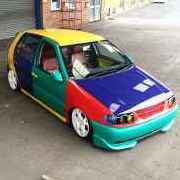
- 0 replies
- 676 views
BigSexyRob -
- 0 replies
- 565 views
BigSexyRob -
- 0 replies
- 674 views
jimmy7 -
- 0 replies
- 599 views
trackrat -

- 0 replies
- 498 views
mintwiththehole2 -
- 0 replies
- 655 views
lowfoon -

- 1 reply
- 707 views
 higgo
-

- 2 replies
- 935 views
 dilz000
-

- 1 reply
- 739 views
havill -
- 0 replies
- 705 views
Twatti -

- 0 replies
- 591 views
Josh Bmx -
- 1 reply
- 815 views
higgo -
- 0 replies
- 531 views
asherz -
- 0 replies
- 611 views
dub-matty -
- 0 replies
- 555 views
Guest -
- 0 replies
- 616 views
future -

- 5 replies
- 854 views
carlhalsey -
- 0 replies
- 595 views
Mattnaz -

- 0 replies
- 559 views
YA55ER -
- 4 replies
- 1.3k views
 Coma
-
- 0 replies
- 583 views
H@wK£R -

- 0 replies
- 669 views
AMD_Man -
- 0 replies
- 817 views
vwtank -

- 1 reply
- 762 views
Mattnaz
Recently Browsing 0
- No registered users viewing this page.