Skip to content

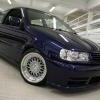
My Photoshoot

Featured Replies

looks like a pvw shoot lol

very nice polo mate

everything works

  • Replies 63
  • Views 7.6k
  • Created
  • Last Reply

Top Posters In This Topic

That's a photoshoot and a half! I love the colour and looks like you're handy with a camera, nice work.

THAT IS THE IMAGE I HAD FOR MY BLUE 16V =[ SHAME IT NEVER MADE IT OUT TO BE!!!

looking good matey!!! those lights really suit it!!!

That looks spot on mate! Looks like a proffesional shoot as said above!!

stunning car mate and some great pics

That carpark looks awesome for a shoot.

your car is very well done, nice

Excellent work, both on the car and the photos.

The colour is great by the way!

looks phat! feeling the colour coded front end..I prefer that blue over windsor now

:shock: thts stunning! love it! :-D

very nice, car looks really smart.

Cool selection of pics!!!!

looks mint mate..aint seen this around hayes mate?

Top work mate .

proper mint

didnt realize how nice that colour can be unitll i saw this!

top job man, cc splitter & grill are nice touches aswel

8-)

Nice! What size are the tyres on them alloys

the perfect 16v :)

Shiney!

  • Author

cheers 4 all the comments again guys :-D

ET is around 14 (got dem off the forum from mike_6kv) cheers mike :thumbsup: n the tyres are Nankang 185/45's

the colour of the car is windsor blue

:-D

i fucking adore that car, if mine looks like that this time next year i will never get rid of it.

edit-

p.s, windsor blue ftw

Edited by spilz

DSC02669.jpg

this is one good looking car! jealous!

Chhrrriiistt!

Seriously nice car.

Best wheels ever coupled with a nice colour, winner in my eyes. Nice work.

One of the best IMO. Same colour as my old one aswell :thumbsup:

I remember this from last year Inter's '07 (though you had some mishaps on the way!) when we convoyed from Ace... changed a hell of a lot since then!!

Respect!

Nice! Sainsburys carpark is sic!

Create an account or sign in to comment

Recently Browsing 0

  • No registered users viewing this page.

Account

Navigation

Search

Search

Configure browser push notifications

Chrome (Android)
  1. Tap the lock icon next to the address bar.
  2. Tap Permissions → Notifications.
  3. Adjust your preference.
Chrome (Desktop)
  1. Click the padlock icon in the address bar.
  2. Select Site settings.
  3. Find Notifications and adjust your preference.