Skip to content

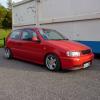
update, mirror polished wheels, mk5 screen, smoothed bumper

Featured Replies

like it! :thumbsup:

  • Replies 40
  • Views 4.8k
  • Created
  • Last Reply

Top Posters In This Topic

  • Author
some nice touches mk5 screen is on my list, what do they normally retail at, i know your mate got it for you, a ball park figure is always good...if they are ridiculously priced i am cracking mine and getting windscreen cover to replace it on insurance :lol:

they retail at £138.00 at auto windscreen where my mate works :thumbsup:

not so bad!

oooh i like this alot mate . looks brill :D

RAGE

So So So Clean

looks sick with the polished dish 8-)

  • 5 weeks later...
  • Author

bodyshop update!!!

shortened number plate recess along with smoothed numberplate mounts, badge and boot handle, also got doors and rear bumper sprayed whilst it was in.

pics

P1000100.jpg

P1000101.jpg

P1000095.jpg

P1000096.jpg

P1000104.jpg

badge or not to badge?

P1000098.jpg

only just low enough for the gate lol

P1000111.jpg

P1000112.jpg

Edited by Godfrey

That looks absolutely fantastic :thumbsup: An inspiration for any 6N owners, this one...

yeah man, that looks frikn awesome dude.. not over-the-top just smart. perfect bro

so ill

another sick 6n from out of no where

fututre plans? & are the rear wheels 9s?

:thumbsup:
  • Author

cheers for the comments guys!!!

@ JoshM- yeah running 8's up front 9's at back mate, future plans is to sort out the interior if i don't sell and get a mk5 gti

that looks quality mate, id say run the badged grill when you can take the front plate off

badged grill with a black badge i reckon will look sweeeet!! Awsome 6n though mate....proper clean!!

The rear shot Reminds me of Chrispy's with the plate recess, looks good.

  • 5 months later...

BUMP

my new car

have plans already

  • Author
BUMP

my new car

have plans already

sad to see it go :-( looking forward to your plans mate!

Create an account or sign in to comment

Recently Browsing 0

  • No registered users viewing this page.

Account

Navigation

Search

Search

Configure browser push notifications

Chrome (Android)
  1. Tap the lock icon next to the address bar.
  2. Tap Permissions → Notifications.
  3. Adjust your preference.
Chrome (Desktop)
  1. Click the padlock icon in the address bar.
  2. Select Site settings.
  3. Find Notifications and adjust your preference.