Skip to content

Photoshop challenge?

Featured Replies

wow the epic thread has rose back from the ashes, shweeet.

James and the giant peach chop = epic win!

  • Replies 401
  • Views 68.7k
  • Created
  • Last Reply

Top Posters In This Topic

Most Popular Posts

Posted Images

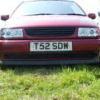
Standard plate by the looks off it.

Think I've seen v666 dub nockin around? Or something like that.

50centlol.gif

FoleE if you were a girl i'd marry you just for your gif editing skills.

Can you do something with this?

jtte2o.gif

:lol: Dunno the angles aren't great, plus it's 10 to 1 in the morning with 91 frames on that gif so not right now at least ;)
NYC_Empire_State_Building.jpg

:lol: :lol: :lol: :lol:

Best yet :D,

  • 2 months later...

l

e

g

e

n

d

a

r

y

t

h

r

e

a

d

HAHAHA! just had to comment...these are hilarious! EVEN TO A GIRL!!!

love the underwater one, and the 50 cent ones sooo funny!

do more, do more!!! :D x

back again :lol:

had to re read through!

thanks for waking this thread up so us noobs get to see it, best laugh I've had all week

Cant beleive this has been dug up again i love this thread best on CP by a long shot

Haha.

epic thread

Kyle_Moar.jpg

  • 1 month later...

good news tinux has a new polo :-D :-D :-D :-D :-D :-D :-D :-D :-D :-D

its photoshoping time

post-28016-1287517478.jpg

lol :') fucking funny shit

:lol: at so it begins again....

hopefully, want to make the worlds most epic and longest thred

Another read before bed wont hurt :D

:lol:

Untitled-3.jpg

Edited by Jonnyboi

post-27785-1287532150.jpg

8-)

haha T boy. love it. needs to be on rh's though yo.

i loved teh fukenbroken pchop the best

Just noticed the T's in the garage :lol:

yeah the t's are ready to go on...

as soon as his tebag delivery comes.... :ninja:

post-27785-1287535141.jpg

that should give him some browny points at work, :thumbsup:

hahahaha my mate showed me this ages ago before i joined

Create an account or sign in to comment

Recently Browsing 0

  • No registered users viewing this page.

Important Information

We have placed cookies on your device to help make this website better. You can adjust your cookie settings, otherwise we'll assume you're okay to continue. Terms of Use Privacy Policy Guidelines

Account

Navigation

Search

Search

Configure browser push notifications

Chrome (Android)
  1. Tap the lock icon next to the address bar.
  2. Tap Permissions → Notifications.
  3. Adjust your preference.
Chrome (Desktop)
  1. Click the padlock icon in the address bar.
  2. Select Site settings.
  3. Find Notifications and adjust your preference.