Skip to content

6N2 GTI Silver

Featured Replies

Make:

Volkswagen

Model:

6N2 Polo Gti

Year/Reg:

Y588 MDG

Mileage:

90k but will go up slighlty as used as daily

MOT:

14th October 2010

Tax:

31t August 2010

Good points:

Car has been really well looked after and regularly serviced

Cam belt has been done twice

Gear box and clutch done in dec last year and is still under warranty

Front disks and pads done recently

New window motor

About the Car

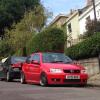
The car is a near enough standard 6N2 GTI 3 door in silver it comes with all the usual things that a GTI comes with such as, power steering, air con, remote central locking etc.

In addition to this it comes with the optional extra heated leathers which are amazing, these were a 1500£ option extra from new i believe.

I brought the car around a month ago now because i wanted something a little more practical and reliable but for me its too practical and reliable lol. Since i've had the car i've put some baby G60 Steelies with centres on it with near enough brand new tires as the tires on the teledials that is came on were a little worn. The car is washed regularly and kept tidy.

I have put on headlight protectors to prevent stone chips and kick strips to keep the door sills protected when getting in and out of the car.

Bad points:

There are a few dents on the side skirts that were there when i got it but they are hardly noticeable

Air con makes a funny noise but still works perfectly, the noise can be got rid of by turning air con on pressing the circulation button until it stops then it wont happen again until the car is turned off and on again

Location:

Northampton

Pictures:

DSC00080.jpg

DSC00064.jpg

DSC00067.jpg

DSC00058.jpg

SDC10809.jpg

DSC00105.jpg

DSC00086.jpg

DSC00096.jpg

Price:

looking for £3250 as I've only done around 300 miles in it since I've had it

Car can come with either the messy G60's or the Teledials however the tread on the teledials is barley legal

Contact details:

contact me on here or ring/text Andy on 07584028360

Any questions dont hesitate to ask

Edited by beeby11

  • Views 225
  • Created
  • Last Reply

Create an account or sign in to comment

Recently Browsing 0

  • No registered users viewing this page.

Account

Navigation

Search

Search

Configure browser push notifications

Chrome (Android)
  1. Tap the lock icon next to the address bar.
  2. Tap Permissions → Notifications.
  3. Adjust your preference.
Chrome (Desktop)
  1. Click the padlock icon in the address bar.
  2. Select Site settings.
  3. Find Notifications and adjust your preference.