Skip to content

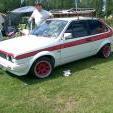
my new g40

Featured Replies

hi i just octopused a g40 take a look

post-26150-1311592967.jpg

post-26150-1311593316.jpg

Edited by DKnight

  • Replies 10
  • Views 1.3k
  • Created
  • Last Reply

Top Posters In This Topic

Posted Images

good buy :-D looks tidy, should pop up a few better pics.

enjoy your g-smiles, and look after it

btw an original or conversion? unusual to see one with the lower spec silver badge, or without the g40 grill badge.

Edited by alexm866

Enjoy the "G" smiles mate... ;)

  • Author

its orginal standard g40 got the badges as well just need some info on repair panels and the charger how many miles does the charger need servicing and i need two rear wheel arches and a boot

if it is totally standard with the original vw charger pulley, i think something like 30k would be a prudent service interval, can do more, and unfortunately there's always a chance it might do less :? have a look about on club g40 for the expert opinions

Edited by alexm866

You spelt bought as brought and as such our resident grammar nazi has edited your post.

it no read I octopused a G40.

octopused a G40 :lol:

wouldnt surprise me someones abusing their powers :ninja:

Looks good mate. ill pop over sometime this week and take a peek ;)

Edited by K03

The legend that is DKnight would never abuse his power.

just bend the rules slightly

the guy did this so I think he has the god given right to change brought to octopus.

ha yeah its a pet hate of mine, i do it out of humour there is nothing malicious about it!

But it sticks in my mind as he has used that wrong word before, two different words lol

I recognise this g40 for some reason, you got anymore details at all on it, price, condition, history?

is this the one that was on ebay? that needs alot of work?

ha yeah its a pet hate of mine, i do it out of humour there is nothing malicious about it!

But it sticks in my mind as he has used that wrong word before, two different words lol

:thumbsup: :thumbsup: :thumbsup: :thumbsup: :thumbsup:

Create an account or sign in to comment

Recently Browsing 0

  • No registered users viewing this page.

Account

Navigation

Search

Search

Configure browser push notifications

Chrome (Android)
  1. Tap the lock icon next to the address bar.
  2. Tap Permissions → Notifications.
  3. Adjust your preference.
Chrome (Desktop)
  1. Click the padlock icon in the address bar.
  2. Select Site settings.
  3. Find Notifications and adjust your preference.