Skip to content

new here

Featured Replies

My name is fred and i'm new here. I have photos i wish to post of my polo and can't seem to get anywhere. I love my polo and am always finding out stuff about it. I hope you people will like what i've done to my polo as soon as i can get my pics up.. Any help would be great cheers. Fred nickname flintstone

post-104505-1346075420.jpg

  • Replies 9
  • Views 1k
  • Created
  • Last Reply

Top Posters In This Topic

Posted Images

welcome along m8

you on photobucket???

put your pics on a photobucket account and then copy n paste the image codes onto here - easy :)

the attachment space isnt very useful on here so will most likely get a pic or two at the most on a real low resolution.

hi there .have you managed to sort pics out yet

i use imageshack, because photo bucket images get deleted when too many people view them

i use imageshack, because photo bucket images get deleted when too many people view them

Where do you get that idea from? I've had photos on here for several years, hundreds of people have viewed some of the topics, nothing's been deleted yet..?

I've had it time and again when I go to view a thread with photo bucket images, where the image was, a white box appears saying "oops, someone's popular. Upgrade to premium" or something like that. Somewhat annoying

You must of got your account before tey introduced that, like with some of my mates with spotify; the joined when it was invite only and still have unlimited music access, unlike now you can only have 10hrs a week or something stupid

That means they've removed/moved the picture from their album to create more space, so the link is void - no picture in the host, no picture in the forums.

There's a generous amount of space on a free account imo, as long as you only use it for shared photos and not all your personal albums or business.

Oooooohhhhhhhhh lol my bad :retard:

Anyways

Welcome to ClubPolo DJ Flintstone!

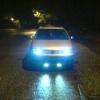
What are those in your profile pic? DRL's or HID fogs?

Edited by woolley456

Welcome mate :)

Create an account or sign in to comment

Recently Browsing 0

  • No registered users viewing this page.

Account

Navigation

Search

Search

Configure browser push notifications

Chrome (Android)
  1. Tap the lock icon next to the address bar.
  2. Tap Permissions → Notifications.
  3. Adjust your preference.
Chrome (Desktop)
  1. Click the padlock icon in the address bar.
  2. Select Site settings.
  3. Find Notifications and adjust your preference.