Skip to content

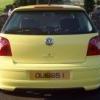
2002 Yellow 1.4 16V Polo Sport (100 BHP)

Featured Replies

Here we have my 1.4 16V Polo Sport (100 BHP)

This was the highest spec Polo of its year, as VW didnt make a GTI in this model.

I have owned the car the past two years since purchasing it from England.

Car comes with a full year MOT (Passed 6/9/12) and 6 months tax. I have lots of previous MOT certificates & VOSA stat sheets to accompany the car. In immaculate condition, and a definite one-off!

In my opinion, Pictures speak a thousand words, rather than me typing a whole lot of text. Spec detailed below:

2002

1.4 16V Petrol (100 BHP)

Manual 5 Speed

84,000 Miles

£2950

QUIGGS2001@HOTMAIL.COM

07955990499

Car is in Derry / Londonderry (N.Ireland)

Air conditioning,

16" Sport Alloy wheels,

Leather Steering Wheel,

Leather Gearknob & Handbrake,

Cupholder (x3),

VW Votex Factory bodykit,

Remote Central locking (2 keys),

Folding rear seats,

Immobiliser,

Passenger airbag,

Cloth Sports Interior,

6 CD In-Dash Multichanger,

Radio/Cassette,

Colour coded Body,

Side airbags,

Rear headrests,

Sports seats,

Alarm,

Height adjustable drivers & passenger seat,

Front electric windows,

Front head restraints,

Isofix child seat anchor points,

PAS,

Steering wheel rake adjustment,

Driver & Passenger under-seat drawers,

Trip computer,

Electric door mirrors,

Full size spare wheel,

Drivers airbag,

Front fog lights,

Insurance Group: 6

Please note I am currently awaiting confirmation of a cherished transfer of number plate, hence, the plate displayed will not be sold with car. It will be re-registered hopefully in the next week to 10 days. Anyone interested is more than welcome to view car etc - although sale cannot be finalised until I receive the new logbook & number plate details. Thankyou.

20120830_171119.jpg

20120830_171105.jpg

20120830_171043.jpg

20120830_171022.jpg

20120830_171016.jpg

20120830_170838.jpg

20120821_105136.jpg

20120821_105128.jpg

20120821_105000.jpg

20120821_104930.jpg

20120821_104922.jpg

Edited by Polo_Quiggs

  • Views 224
  • Created
  • Last Reply

Create an account or sign in to comment

Recently Browsing 0

  • No registered users viewing this page.

Account

Navigation

Search

Search

Configure browser push notifications

Chrome (Android)
  1. Tap the lock icon next to the address bar.
  2. Tap Permissions → Notifications.
  3. Adjust your preference.
Chrome (Desktop)
  1. Click the padlock icon in the address bar.
  2. Select Site settings.
  3. Find Notifications and adjust your preference.