Skip to content

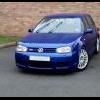
MK4 VW Golf R32 DBP 59k

Featured Replies

I have for sale my 2003 5 door Mk4 Golf R32 in Deep Blue Pearlescent

V6 3.2Litre - 240bhp

3 previous owners including myself

59k Miles

ITG Panel Filter

Milltek Non-resonated Catback Exhaust fitted march 2012 at the milltek factory - car comes with standard exhaust if wanted.

Colour coded engine cover & battery cover

JCaps billett aluminium washer bottle, power steering, oil, coolant, oil dipstick caps.

Billett aluminum .:R logo strut top covers.

Climate control

Full heated Koenig leather seats

Standard 18inch R32 alloy wheels.

MOT'd March 2013 - passed with advisory to replace front discs and pads (as you can see below this has been done)

Coilpack recall carried out by VW Dec 2011

Major Service Carried out by VW April 2012

Haldex Service carried out by VW May 2012

6463 ECU update carried out at VW May 2012

Timing chain replaced by VW May 2012

Rear Brake pads replaced with genuine oem VW parts May 2012

Clutch replaced by VW - I had this done for peace of mind while they timing chain was being done May 2012

Radiator replaced by VW - due to small leak found while replacing timing chain May 2012

Rear Driver side door lock replaced by VW December 2012

Front brake discs and pads replaced with genuine oem VW parts April 2013

Not in a great hurry to sell just fancy something different, so please no time wasters or tyre kickers.

Bodywork very good for age (10 years old).

I clean this car every week (weather permitting) and polish and wax 4 - 5 times a year using Poorboys Black hole Glaze and Collinite 476S.

The car currently has my private plate on it, this will not be included in the sale.

As you can see no expense has been spared on this car.

£6500

If you want any more photo's or information please let me know.

008.jpg

012.jpg

026.jpg

019.jpg

021.jpg

SDC11017.jpg

028copy.jpg

  • Views 376
  • Created
  • Last Reply

Create an account or sign in to comment

Recently Browsing 0

  • No registered users viewing this page.

Important Information

We have placed cookies on your device to help make this website better. You can adjust your cookie settings, otherwise we'll assume you're okay to continue. Terms of Use Privacy Policy Guidelines

Account

Navigation

Search

Search

Configure browser push notifications

Chrome (Android)
  1. Tap the lock icon next to the address bar.
  2. Tap Permissions → Notifications.
  3. Adjust your preference.
Chrome (Desktop)
  1. Click the padlock icon in the address bar.
  2. Select Site settings.
  3. Find Notifications and adjust your preference.