Skip to content

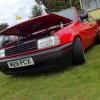
Vw caddy van 1.9tdi RED! 2006 !NO VAT!

Featured Replies

Haven't had this van long change of circumstances forces to sell! It's a 1.9tdi pd engine so pretty much bulletproof 122k on the clock genuine miles with previous mot history to prove it! Service history wise there is none but some invoices for previous work being done including the cambelt being replaced in November last year and a service! I am a mechanic so I made sure the van was mechanically sound before buying it I also did a full service on it at about 121600 oil & filter air filter fuel filter pollen filter and put a set of wipers on it! It's a lovely van to drive feels like your driving a car to be honest!

122k is no mileage at all for these engines which are known to do 400k+ I've seen a few myself! It has central locking and key fob, fully working electric windows, electric mirrors which are heated too which do come in use for the winter they were a god send on my old car! New valeo flat blade wipers also put a new wiper on the back too! Everything works as it should or I wouldn't of bought it otherwise!

It has a 3 person bench seat in the back which folds up to the front seats for extra load area when they're not needed, which were factory fitted!?

The front seats are out of an audi a3 they were fitted when I bought the van they are a lot nicer to sit in and give the driver and passenger a lot more comfort whilst driving than standard caddy seats, the drivers seat even has a little cubby underneath.

Cosmetically speaking its not one of these 100% mint caddys but its not one of these absolute sheds I ended up wasting my time looking at! It's also not £6k either like these mint ones!

The van is hpi clear I can forward the text from when I checked it! There is a printout hpi check in the paper work from the previous owner!

MOT: May 2014

TAX: 31-10-2013

Contact number for any info you may need 07738784089

null_zpsf36aebd8.jpg

null_zpsf9c7de9b.jpg

null_zps55576bb1.jpg

null_zpsca40b82e.jpg

null_zps64ee208a.jpg

null_zps94ead177.jpg

null_zps7693fc52.jpg

null_zpsacd58069.jpg

null_zpsffcca762.jpg

null_zps312ed510.jpg

null_zps50d19a97.jpg

null_zps40f8c57c.jpg

null_zpsc1cc587d.jpg

£3500

Edited by Rawse

  • Views 300
  • Created
  • Last Reply

Create an account or sign in to comment

Recently Browsing 0

  • No registered users viewing this page.

Account

Navigation

Search

Search

Configure browser push notifications

Chrome (Android)
  1. Tap the lock icon next to the address bar.
  2. Tap Permissions → Notifications.
  3. Adjust your preference.
Chrome (Desktop)
  1. Click the padlock icon in the address bar.
  2. Select Site settings.
  3. Find Notifications and adjust your preference.