Skip to content

I've had a dab at editing..

Featured Replies

I'm never a big fan of large colour changes in photo editing as well as unnatural effects etc. Just a personal opinion i know.

When editing photos the way i like to do things is i have the large original i pull them into photoshop and have a canvas set up which i use to set the picture in a frame and play about with it's position until it looks how i want. I will tweak the brightness and contrast, also a slight colour balance. And to finish sometimes a quick sharpen filter. And thats it. Even if a photo's composition is out when the photo is taken this can be quickly rectified.

i had a quick look at the photo. Simple is best for me. One bit of advice i would give for taking the photos is to take the shots a little further back, this will help when editing as it wont limit the shot.

paulineandcars012sg0.jpg

sarahud0.jpg

Edited by Ross

  • Replies 33
  • Views 2.9k
  • Created
  • Last Reply

Top Posters In This Topic

Posted Images

  • Author

ste- dont tempt me

ross - thanks for the tips, very useful, do i just change the contrast to make the picture darker?

only very slightly yes, one thing you want to avoid is the picture being too dark and loosing the definition.

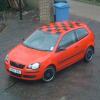
You can also pick certain things to highlight within the photo, for instance on the photo above i brought the colour out a little more on the bin and the grass to the left. Was good as the picture was large to start with i was able to crop it into a completely different photo.

Edited by Ross

paulineandcars012sg0.jpg

sarahud0.jpg

Much better.

  • Author

and another

post-11226-1202488198_thumb.jpg

post-11226-1202488232_thumb.jpg

Yeah thats looking alot better, although my only two pointers (picky bastard) are that front on shots aren't the most flattering of all, try taking the photos from a slight angle so that you can see more of the car. Also angled shots provoke head turning to see it properly, not a big fan of that so i've had a look and straightened it up.

Don't get me wrong however, front on shots can look great but its nice to mix it up. And if you take the photos level then you can always put angle on them when editing.

dscov1.jpg

Getting there but I think the pictures are of a poor quality perhaps? Not your picture taking, but the file quality. Can you increase the quality of the photos on your camera?

  • Author

thanks for all your help guys x

umm. . . not sure if i can change the quality on the camera, the first and last edits i did were pictures off my phone though

the second edit was from a fuji film s 304

svfv.jpg

nice mk7.

Create an account or sign in to comment

Recently Browsing 0

  • No registered users viewing this page.

Account

Navigation

Search

Search

Configure browser push notifications

Chrome (Android)
  1. Tap the lock icon next to the address bar.
  2. Tap Permissions → Notifications.
  3. Adjust your preference.
Chrome (Desktop)
  1. Click the padlock icon in the address bar.
  2. Select Site settings.
  3. Find Notifications and adjust your preference.