


Polos
Rules on selling your car
Notice: When paying via PayPal you are advised not to send any payment as a 'Gift'. Doing so means that you lose the protection you get from PayPal if the item does not turn up.
Please use the guide located here, and make sure your adverts are complete!
9369 topics in this forum
-
- 0 replies
- 189 views
a0d9a8m7 -
- 0 replies
- 251 views
TommyC -
- 0 replies
- 902 views
kad17 -

- 0 replies
- 333 views
ArtTyers -

- 0 replies
- 1.5k views
tonybig78 -

- 0 replies
- 219 views
magan-v3 -

- 0 replies
- 263 views
jamesbuckingham -
- 0 replies
- 252 views
a0d9a8m7 -

- 0 replies
- 296 views
slinny -

- 0 replies
- 242 views
sjb1781 -

- 0 replies
- 326 views
blobbyknobby -

- 0 replies
- 218 views
karl6n -

- 0 replies
- 498 views
polovr6man -

- 0 replies
- 173 views
craigs65 -

- 0 replies
- 236 views
austin27 -

- 0 replies
- 229 views
Stupid Monkey -

- 0 replies
- 156 views
afghanisdan -

- 0 replies
- 175 views
WillieBergerGTI -

- 0 replies
- 193 views
PoloGilly -
- 0 replies
- 202 views
craigellis05 -
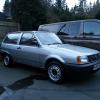
- 0 replies
- 277 views
Spearmint -

- 0 replies
- 180 views
dodgygezza -

- 0 replies
- 185 views
jonnygt -
- 0 replies
- 244 views
retrowagen12345 -

- 0 replies
- 239 views
Enigma
Recently Browsing 0
- No registered users viewing this page.
