



Non-Polos
Rules on selling your car
Notice: When paying via PayPal you are advised not to send any payment as a 'Gift'. Doing so means that you lose the protection you get from PayPal if the item does not turn up.
Please use the guide located here, and make sure your adverts are complete!
6241 topics in this forum
-
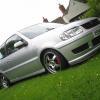
- 6 replies
- 600 views
willspolo -
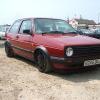
- 2 replies
- 449 views
strangward -

- 0 replies
- 176 views
vdubstar -
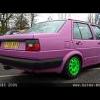
- 2 replies
- 776 views
mad_will -
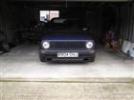
- 22 replies
- 1.6k views
 Yeti
Yeti -

- 0 replies
- 168 views
bonus_boy -

- 1 reply
- 748 views
Guest -

- 5 replies
- 603 views
 demolover
 -

- 7 replies
- 813 views
smithy_6n -

- 6 replies
- 905 views
fleckers -
- 3 replies
- 324 views
 bbrown92
 -

- 14 replies
- 842 views
 Dave_88
 -
- 0 replies
- 312 views
Watson© -

- 2 replies
- 454 views
 Smid10
 -
- 3 replies
- 382 views
 ginge92
 -

- 5 replies
- 350 views
geeeebo -
- 1 reply
- 332 views
Guest -

- 6 replies
- 526 views
polo6n2g40 -
- 7 replies
- 986 views
 Alun Hughes
 -
- 0 replies
- 246 views
furby -

- 7 replies
- 595 views
crags -

- 20 replies
- 1.7k views
 giacomo
 -
- 50 replies
- 3.3k views
spanner_allan -
- 9 replies
- 1.1k views
Yeti -

- 3 replies
- 600 views
mk1_austin
Recently Browsing 0
- No registered users viewing this page.
