



I.C.E. (For Sale)
DO NOT RESPOND TO AN ADVERT UNLESS YOU ARE INTERESTED IN BUYING!!!
Notice: When paying via PayPal you are advised not to send any payment as a 'Gift'. Doing so means that you lose the protection you get from PayPal if the item does not turn up.
2298 topics in this forum
-
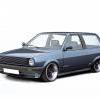
- 10 replies
- 390 views
Nutroast -
- 2 replies
- 252 views
vdubz -

- 2 replies
- 290 views
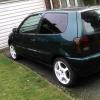 my little polo
 -

- 1 reply
- 257 views
 rozza92
 -

- 13 replies
- 745 views
hx3white -

- 4 replies
- 352 views
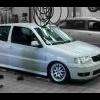 steviedubs
 -

- 1 reply
- 267 views
 JoeShorten11
 -

- 1 reply
- 192 views
 Revis
Revis -

- 3 replies
- 277 views
 mrdsuk
 -
- 2 replies
- 221 views
 Talk2tod
 -

- 3 replies
- 293 views
JampotJamie -

- 1 reply
- 214 views
jordy.210393 -
- 0 replies
- 255 views
wicchris -
- 0 replies
- 142 views
wicchris -
- 2 replies
- 236 views
 erixtar1992
 -

- 0 replies
- 224 views
72deluxe -
- 0 replies
- 167 views
72deluxe -

- 1 reply
- 249 views
big_k -

- 6 replies
- 476 views
dc bmxer -
- 0 replies
- 348 views
Polo96CL -
- 3 replies
- 308 views
 stefan edge
 -
- 0 replies
- 201 views
ad.328isport -

- 2 replies
- 161 views
luiscurrie -

- 1 reply
- 415 views
steverubberduck -

- 2 replies
- 281 views
 B-RAd
B-RAd
Recently Browsing 0
- No registered users viewing this page.
