


You've been Spotted!
Polo sightings out and about.
6292 topics in this forum
-

- 1 reply
- 737 views
 Guest
-

- 1 reply
- 743 views
 grungeisdead
-

- 0 replies
- 549 views
MartinB -
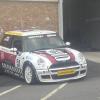
- 0 replies
- 576 views
polocoupe1300 -

- 0 replies
- 489 views
tomdavis -

- 0 replies
- 1.6k views
Alex -
- 0 replies
- 668 views
Scott_GT -
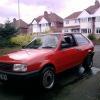
- 0 replies
- 673 views
MK3_Andy -
- 0 replies
- 580 views
Alex -

- 0 replies
- 605 views
Iscariot -
- 0 replies
- 532 views
Guest -

- 1 reply
- 715 views
phatali -

- 0 replies
- 657 views
xcore -

- 0 replies
- 610 views
Mariojoshi -
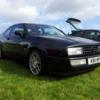
- 7 replies
- 1.6k views
 Q97bnu
-
- 1 reply
- 722 views
 kerm
-
- 0 replies
- 747 views
richoco -
- 0 replies
- 712 views
Hotdog -

- 2 replies
- 856 views
richoco -

- 1 reply
- 719 views
slim.gt -

- 2 replies
- 947 views
m4ttyf -
- 11 replies
- 1.4k views
Bigcarey -

- 0 replies
- 661 views
JS Body & Paint -
- 4 replies
- 1k views
JS Body & Paint -
- 8 replies
- 1.2k views
tractorboy
Recently Browsing 0
- No registered users viewing this page.
