Skip to content

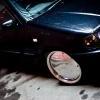
Dragon Green 1.6 GLX

Featured Replies

already bought my new car, and the buyer for this one was a complete and utter fool, need this gone ASAP!

heres the spec:

1.6 8v GLX

Dragon Green

126k miles on the clock (average of 10k a year for a 13 year old car)

Recently serviced, oil, oil filter, plugs. FVWSH before i brought it 2 years ago, but unfortunately missing

New brake pads, battery, front wishbone and CV boot, window regulators

Electric windows, Central locking, full 16v interior including black doorcards, 16v rear bumper, sunroof, all the usual GLX extras

Powerflow cat-back exhaust system

Pipercross air filter

Exterior:

Keskin KT8 alloy wheels, 15x7 and 15x8, 195/45 tyres all round, excellent condition with plenty of tread, slight rubbing marks on rears

PhilJ 80mm suspension kit

Dietrich RS Front bumper, recently resprayed

UK font pressed plates, black and silver and colour coded ones included too

Smoked rear Hella LED clusters

Votex hatch spoiler

Sonar front angel eye headlights

Bosch Aero wipers

Black B-pillars

LED front fog/driving lights

Delocked passenger door handle

Interior:

Nothing too major, White dials, Richbrook gearknob with Audi TT style surround, Sparco pedals, Mk4 Golf Handbrake, 7" in dash monitor also included

Bad bits :( -

Slight dent on the roof (can be pushed out if the sunroof is removed)

Crack on lower corner of bumper from hitting a bump (fixable with a bit of fibreglass)

Slight surface rust on the passenger door corner, and passenger side rear and front arch

Mechanically the car is FLAWLESS, engine runs absolutely sweet, idles perfectly and starts perfectly every time

only want a £1000! no offers just take it!

Not much else i can think of at the moment, any questions ask away! Located in west london

Edited by Gugz

  • Replies 3
  • Views 504
  • Created
  • Last Reply

Top Posters In This Topic

[pm'd

  • Author

timewasters come back! so sold :D

Did he buy it, or give u another £50? :lol:

Create an account or sign in to comment

Recently Browsing 0

  • No registered users viewing this page.

Account

Navigation

Search

Search

Configure browser push notifications

Chrome (Android)
  1. Tap the lock icon next to the address bar.
  2. Tap Permissions → Notifications.
  3. Adjust your preference.
Chrome (Desktop)
  1. Click the padlock icon in the address bar.
  2. Select Site settings.
  3. Find Notifications and adjust your preference.