Skip to content

polo badge

Featured Replies

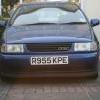
taken the polo badge of the back and got a de-badge front fril just woundering if anyone has seen or pput the polo badge on a de-badged front grill if so does it look good and does anyone have a picture

  • Replies 14
  • Views 1.9k
  • Created
  • Last Reply

Top Posters In This Topic

whats teh point in buyinga debadged grille then putting a new badge on :lol: i have a relocated badge if tahst what you mean, its to the side of ist std place not in the normal place

  • Author

yes but i want the polo badge to the side not the vw

I think i see what u mean u want to take the polo lettering off the back and stick it on one of the slats of the debadged grill....never seen it done

  • Author

yes i did it today it look good will put a pic up soon just give the from abit more

Theres some lad with a blue mk4 and it has the LO from POLO on the grille.

I've seen a mark 4 with OLOP badge to one side on the front grille, on here?

I've seen a mark 4 with OLOP badge to one side on the front grille, on here?

I've seen that too, not sure who's it is though.

Theres some lad with a blue mk4 and it has the LO from POLO on the grille.

Dunno if thats my car u mean, but mine has LO on the grille. Heres a pic

P1020442.jpg

Its kinda wonky in that pic coz its held on by wire. :lol:

  • Author

she i super glued mine on and then want to attach it more to make it held on more

Theres some lad with a blue mk4 and it has the LO from POLO on the grille.

Dunno if thats my car u mean, but mine has LO on the grille. Heres a pic

P1020442.jpg

Its kinda wonky in that pic coz its held on by wire. :lol:

It was you buddy, can never remember your username though :oops:

There was a guy last night at prept in a 6n with a white polo badge attatched to the front grill, thought it looked good. wont be long before most people do it i suspect

  • Author

looks good where did ypu get the part to plug your back window wiper hole ?

  • Author

my neew picture is what it look like if u can see

Create an account or sign in to comment

Recently Browsing 0

  • No registered users viewing this page.

Account

Navigation

Search

Search

Configure browser push notifications

Chrome (Android)
  1. Tap the lock icon next to the address bar.
  2. Tap Permissions → Notifications.
  3. Adjust your preference.
Chrome (Desktop)
  1. Click the padlock icon in the address bar.
  2. Select Site settings.
  3. Find Notifications and adjust your preference.