Skip to content

5 Green Doors

Featured Replies

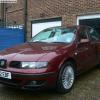
well had my MOT today and passed second time round !! :D

so to celebrate thought i would post a few pics as i haven't in a while

All comments welcome , but please make them constructive

DSC00543.jpg

DSC00562.jpg

DSC00568.jpg

DSC00577.jpg

DSC00595.jpg

DSC00598.jpg

DSC00599.jpg

DSC00600.jpg

DSC00605.jpg

DSC00609.jpg

DSC00613.jpg

DSC00621.jpg

Please bare in mind these are all phone pictures

Thanks

Matt

Edited by mattdavies

  • Replies 6
  • Views 1.6k
  • Created
  • Last Reply

Top Posters In This Topic

NICE! is taht higgos with yours :? both lovely anywayz, them yelllow lights look bob on against the green. you need to get that front cambo sorted though :lol:

  • Author

I'm going to get another one cause that one if shagged , but I'm going to use it for other things :ninja:

and yes that is the wolvo sheep monkey also known as higgo

you sorted the wheel bearings after calling me then?? got your HIDs in aswell?? looks good now mate sum cool pics youll have to have a shoot wit me when you come down, n fingers crossed might actually have got my coilies by then.

  • Author

no HID's should be in the post , just found out there the same as your :D

yeh just gave it a little tighten , will replace it this summer !!!

yeh dont forget that lupo that mike owns :lol:

I'm going to get another one cause that one if shagged , but I'm going to use it for other things :ninja:

and yes that is the wolvo sheep monkey also known as higgo

ahah wolvo sheep monkey in action in drivers seat lmao, yes it is me :nod:

could have put sum betta pics up of mine :cry:

lookin gd tho matt, u know i love you are car, looks sweet when behind u, lookin in the rear view :-p

your car looks great espically with the black bonnet!!

Its a shame the camera phone lets down the great cars.

Create an account or sign in to comment

Recently Browsing 0

  • No registered users viewing this page.

Account

Navigation

Search

Search

Configure browser push notifications

Chrome (Android)
  1. Tap the lock icon next to the address bar.
  2. Tap Permissions → Notifications.
  3. Adjust your preference.
Chrome (Desktop)
  1. Click the padlock icon in the address bar.
  2. Select Site settings.
  3. Find Notifications and adjust your preference.