Skip to content

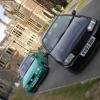
Photoshopped Dragon Green 6N

Featured Replies

Polo_6N_Stage3.jpg

Polo_6N_Green.jpg

Edited by witherz

  • Replies 20
  • Views 3.5k
  • Created
  • Last Reply

Top Posters In This Topic

its abit photoshopped...:?

ye just abit! colours been enhanced by the looks of it, and wheel centres done. and lowered by the looks of it.

  • Author

darn

  • Author

do u like it tho?

no

  • Author

ok

liking the steelies, if only they were that size as standard

:?
liking the steelies, if only they were that size as standard

:nod: :nod:

not feeling that blatant photoshop at all!

well done you can photoshop!

Don't understand this thread? How does the title refer to the actual thread?

itd be nice if it was real

it would just be a mk4 on giant steelies if it was real...with handles removed

true lol,,still looks smart though.

yer looks good, black roof is subtle on that colour

  • Author

On this photoshop i have,

>Smoothed Door Handles

>Removed Bump Strips

>Removed Badge

>De-Badged Grill

>Smoothed side repeaters

>Lowered

>Made the steels bigger

>Colour coded the centre caps

>Made the roof black

>Tinted the windows slightly

Cheers 4 de comments

+spilz would stuff like this look good in the portfolio?

G60 steels look good on 6n's,but you cant get the standard size steels looking like that so i dont see the point.

Not feeling the handles,but looks alright otherwise.

On this photoshop i have,

>Smoothed Door Handles

>Removed Bump Strips

>Removed Badge

>De-Badged Grill

>Smoothed side repeaters

>Lowered

>Made the steels bigger

>Colour coded the centre caps

>Made the roof black

>Tinted the windows slightly

Cheers 4 de comments

+spilz would stuff like this look good in the portfolio?

no mate, to be honest, there not bothered about modifying cars on photoshop.

they're gonna wanna see sketches n photoshops of car designs from scratch.

  • Author

ok cheers m8 your the only opinion i can honestly value due to your experience and my goals :)

Create an account or sign in to comment

Recently Browsing 0

  • No registered users viewing this page.

Account

Navigation

Search

Search

Configure browser push notifications

Chrome (Android)
  1. Tap the lock icon next to the address bar.
  2. Tap Permissions → Notifications.
  3. Adjust your preference.
Chrome (Desktop)
  1. Click the padlock icon in the address bar.
  2. Select Site settings.
  3. Find Notifications and adjust your preference.