Skip to content

Removing 9N Polo badges

Featured Replies

Hi guys,

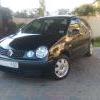
I have a black 2004 9N Polo

I'd like to spray my Polo's badges but have no idea how to remove the rear one from the bootlid.

I've been told that I have to strip the inside panels off the bootlid and then unscrew the rear badge, is this correct?

The front one looks pretty straight forward.

Any advise will be appreciated.

  • Replies 6
  • Views 1.8k
  • Created
  • Last Reply

Top Posters In This Topic

the back just pulls off but be carefull as they sometimes snap

the front will need teasing out of the grill. if your not doing tham black you will then need to seperate the chrome part of the badge from the blackplstic bit., abit poking with a small flat head is all it takes

hope that helps

Edited by S23 CLY

  • Author

Thanks mate.

I am doing them a candy apple red.

I have sourced a spare original front badge to test with.

Want to see how it looks before I make it a permanent feature on the car

nice to see someone mixing it up for a change

although i admit i am a black badge sheep

  • Author

Thanks mate,

Everyone here in South Africa is going black badge now.

MK 1 - 5 Golfs are either de-badged/black badged.

Most Polo's and even the odd Corrado if you can find it.

I want to do things a little differently with mine.

Will post up pics as I go along.

  • Author

Sheesh, getting hold of the Candy Apple colors is proving to be a bit harder than I thought :(

Not a popular color in this country so most places don't stock them.

I am gonna try a few Hot Rod places to see if they can sort me out.

  • 3 weeks later...

wooooo i sprayed mine black lool. gues u dnt like it like that.....

its soo easy 2 take them of.... just use like a butter knife need peel the bak 1 of.. need the front comes of liek 3 clips on the back...

good luk with the rest of you are car

Create an account or sign in to comment

Recently Browsing 0

  • No registered users viewing this page.

Account

Navigation

Search

Search

Configure browser push notifications

Chrome (Android)
  1. Tap the lock icon next to the address bar.
  2. Tap Permissions → Notifications.
  3. Adjust your preference.
Chrome (Desktop)
  1. Click the padlock icon in the address bar.
  2. Select Site settings.
  3. Find Notifications and adjust your preference.