Skip to content

i wana change my lights on the 6n..

Featured Replies

alright, i can not decide what lights to get for my 6n 16v in black... i am liking the 6n2 red ones for the rear... but the front i right cant decide which ones would luk the best.. even after checking out the pictures on ere.. what you lot reckon?

  • Replies 12
  • Views 1.8k
  • Created
  • Last Reply

Top Posters In This Topic

keep em as they are ?

or split them and paint the inners black

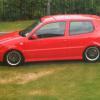
could do em like mine????

S7302638.jpg

S7302649.jpg

split them and paint the innards black... thats got the cogs in my head moving! ace idea.

has anyone done this? how much does it effect the brightness of the light? cos i suspect it would look cool

(smart polo btw)

Edited by ben_reza

why not take lights from another car, minor amount of metal work n your there! :ninja:

lots of people do this to many different cars, it will affect the light abit but if you use the stuff that tints your lights lightly it should still let a decent amount of light out as its semi transparent and still give a cool look

easiest mod you'll ever do

  • Author

take lights from another car?? what you mean .. what cars.. i was guna buy the fk angel lights in black thought they would luk nice but am still unsure.. loving that matt black colour... what u think about the 6n2 rear lights.

ooooooooooh

he says its satin black :lol:

6n2s on black look so good

do it.

its easy aswel, theres a guide on uk polos aswel

Whats that about painting the lights black? Can i have an idiot proof guide please? lol x

I think for a 6n, chrispy has the best lights.

Depo Projectors iirc.

They look like mk5 gti headlights.

Pics?

I think for a 6n, chrispy has the best lights.

Depo Projectors iirc.

They look like mk5 gti headlights.

i was about to order a set tomoz morning, glad you told me that, I'm not gonna bother now :lol:

i think angel lites look the best, my mate just brought a 206 with angel lights already on them, it looks fab at night

Create an account or sign in to comment

Recently Browsing 0

  • No registered users viewing this page.

Account

Navigation

Search

Search

Configure browser push notifications

Chrome (Android)
  1. Tap the lock icon next to the address bar.
  2. Tap Permissions → Notifications.
  3. Adjust your preference.
Chrome (Desktop)
  1. Click the padlock icon in the address bar.
  2. Select Site settings.
  3. Find Notifications and adjust your preference.