Skip to content

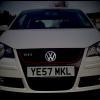
Photoshop'd Mk 3... matt purple UPDATE!

Featured Replies

Mods:

Matt Purple respray

Removed all graphics dings and dents

Smoothed plate recess

Roof rack deleted

Schmidt Th Lines

Purple Badge

Original

mk3.jpg

Chopped

mk3copy.jpg

Edited by Dazza_666

  • Replies 15
  • Views 1.6k
  • Created
  • Last Reply

Top Posters In This Topic

remove the splitter + the gay fogs + the black bonnet = WINNER

remove the splitter + the gay fogs + the black bonnet = WINNER

i agree :-D :-D

remove the splitter + the gay fogs + the black bonnet = WINNER

i agree :-D :-D

x3 but i like it as it is anyway :) lol

LEE

OMG!!! thats mental, definatly doing that lol love the army green aswell but got in trouble recently for a sticker i had on my car so gotta be a bit carefull for 7 months and the cross etc may get me in some more unwanted trouble lol

cheers dazza mate and comments welcome good or bad!

dazz if you can do what they said above i wouldnt mind seeing what it would look like,

cheers man

Edited by barkshire

Looks better before photslag work imo, just change the rimmage :nod:

remove splitter and fogs..... :thumbsup: looks cool :D

cars off the road at the mo so can tinker all i want fogs are already off and splitters gonna have to come off soon me thinks due to it going stupidly low soon. but i like it on i think so may just leave it on till it smashes off be a lil mission to try and get it smashed off without being a nob as dont wanna damage the car :-)

and cheers dirrt so do i but fancy a change, will change again soon no doubght

Edited by barkshire

argee with first comment ! get on it :)

  • Author

Here it is...

Didnt remove the splitter jus made it smaller and more subtle

MK3PURPLEcopy.jpg

that looks phat

Stealing my ideas :lol:8-)

Looks good dude.

my days, that looks ill

DO IT :D

alex

pimp, its also given me a perfect idea :)

Thanks ! :)

looks sweet to me

that looks too sweet may have to get rid of the black bonnet as looks alot smoother without it.

and what the idea boom? your car is sweet as the way it is lol

Create an account or sign in to comment

Recently Browsing 0

  • No registered users viewing this page.

Account

Navigation

Search

Search

Configure browser push notifications

Chrome (Android)
  1. Tap the lock icon next to the address bar.
  2. Tap Permissions → Notifications.
  3. Adjust your preference.
Chrome (Desktop)
  1. Click the padlock icon in the address bar.
  2. Select Site settings.
  3. Find Notifications and adjust your preference.