Skip to content

strips

Featured Replies

with taking the the badges i used the hairdryer to melt the glue then took the badge off, then used WD40 which cleaned the rest of the glue off,

i now want to take the strips off, is it the same process?

are the strips connected to the car just by glue? or is there clips etc attaching them?

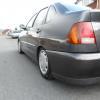
here are some pictures:

Photo0182.jpg

Photo0181.jpg

all comments would be a help, thanks in advance

  • Replies 11
  • Views 1.1k
  • Created
  • Last Reply

Top Posters In This Topic

yep do it in the same way mate, your paint might look fresher from where you removed the strips, bang some compund cutting shit on it (meguiers or g3 or even t-cut) and should look v nice

yeah on a mk4 6n just sticky stuff

  • Author

cheers both, moderators can close this now :)

  • Author

anyone want to see the outcome?

Photo0183.jpg

:'(

erm???

looks like they will be going back on then, replace them with 6n2 sidies, thats my plans until i can afford to get the underneath of mine sorted as the paintwork is worse than that under my nearside rear quarter one..

Edited by dub17

ouch. this is the reason i dont wanna remove my bump strips!

i was lucky mine came of with no paint damage

I was thinking about doing the same in the next couple of days but after seeing that iv changed my mind!

  • Author

was thinking about taking to to a body shop, the other side was fine, but this is ruined!

but I'm gona just go to halfords, rub it down, primer then try and get a close match, then stick them all back on!

or get hold of 6n2 strips that are more flush than you are ones. and colour code them to the car.

Is what I'm going to do in a month or so wilst i cluster up a bit of money to get the paintwork sorted underneath..

  • Author

yeah could possibly do that too mate,

well I'm off to put the standard lights on :D

Create an account or sign in to comment

Recently Browsing 0

  • No registered users viewing this page.

Account

Navigation

Search

Search

Configure browser push notifications

Chrome (Android)
  1. Tap the lock icon next to the address bar.
  2. Tap Permissions → Notifications.
  3. Adjust your preference.
Chrome (Desktop)
  1. Click the padlock icon in the address bar.
  2. Select Site settings.
  3. Find Notifications and adjust your preference.