Skip to content

Dashboard Removal

Featured Replies

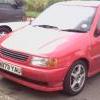
I have just brought another polo, it's the 1.3 cl. I brought it to swap the interior with my current polo as it's in poor condition and the cl seems to have a better finish.

I have replaced everything so far apart from the two gearknob covers as the are slightly different. Before I can swap them I need to swap the entire dash but I am unsure how to do this.

I have searched the forum but have found no guides, anyone how to remove it easily or know of a write-up for it.

Thanks.

  • Replies 8
  • Views 5.6k
  • Created
  • Last Reply

Top Posters In This Topic

Anything in the haynes manual?

take everything out of the dash unclip n unscrew it all, take away what you can then take the 2 end caps off (open the door and its on the end of the dash) undo that then it should come out!

remember the 2 bolts under the bonnet right up the top.

and cut the cable clips that hold the loom in as it will stop the dash pulling out.

should take about a morning all in.

some pics in her on p3 when i did mine http://www.clubpolo.co.uk/forum/index.php?...48275&st=50

Edited by genesisGT

  • Author
Anything in the haynes manual?

Well I looked from cover to cover but found nothing so I will just have to give it a crack in the morning.

I have tomorrow free to have a crack at it, hopefully it's just a case of removing all the things from the dash and the looms and out it will come.

Also I haven't check the wiring diagrams out yet but the new interior has electric windows and as my current interior was made in the stone age and has manual windows are the wiring looms to the doors the same or would I have have the connect the loom from the new door to the fuse box along with the switches? I would imagine so, it seems like a straight forward job...

Anything in the haynes manual?

Well I looked from cover to cover but found nothing so I will just have to give it a crack in the morning.

there is a part in the haynes manual? it is a mk4 isnt it?

its around the interior removal art.. its a little square box and it tells you bout removing the steering rack n so on..

I'm gonna be removing my dash soon.. had the seats and door cards from the 1.6 glx i think it was.. the black with greeney blue design innit..

just waiting for the front door cards as they where damaged :x

and i still need a black dash.. found one at one of my local scrappys from a polo classic.. just a bit of a job gettin it out and replacing mine.. lol

me and a mate changed the interior from my old grey to the better looking black. it took a day all in to change everything from cards, dash, seats and carpet. the dash is a pain we just undone everything we could see was holding it in. then just pulling it to see what was still holding it in. the nuts on the end of the dash behind the caps when open the doors. one behind all the cables when you take the dials out and one behind the glove box both are really far in and a pain the in the arse. and two under the centre console right at the back. also make it easier take the steering wheel off. all the wires are comen sence really as long as you rememer where you took things from you will know how to put it back in. hope this helps

  • Author

Well there was a small part in the haynes manual about the steering rack but that was pretty simple.

The donor car is all stripper out and all thats left to replace is the dash and front door cards along with electric windows.

My next free day I will hopefully have it done.

Then its respray time :)

Create an account or sign in to comment

Recently Browsing 0

  • No registered users viewing this page.

Account

Navigation

Search

Search

Configure browser push notifications

Chrome (Android)
  1. Tap the lock icon next to the address bar.
  2. Tap Permissions → Notifications.
  3. Adjust your preference.
Chrome (Desktop)
  1. Click the padlock icon in the address bar.
  2. Select Site settings.
  3. Find Notifications and adjust your preference.