Skip to content

Astra mk4 LS SWAP?

Featured Replies

Make: Vauxhall

Model: Astra mk4/G,

Year: 2000/V reg,

Reg: V212 DRF,

Colour: Star Silver,

Mileage: 109000

M.O.T: March 2010,

Tax: Feb 2010,

Here for sale/swap is my beautiful vauxhall astra 1.6 LS model.

I have owned this car for a while now, but due to change in circumstances need something smaller again. The car has done nearly 109000, but is used daily so this could change. It has Part Service History. I also have everything needed to service the car again, just all needs fitting, this includes

NGK spark plugs,

Air Filter,

Fuel Filter,

Oil Filter,

Oil (Genuine vauxhall oil),

has recently had a front brake overhaul, consisting of,

new pads,

new discs,

re-furbed calipers,

total clean up,

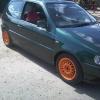
Has got 15" alloys on from a rover/renault, with all nearly new tyres,

just had new thermostat,

air box de-restricted,

The car is M.O.T'd till March 2010,

Taxed End Feb 2010.

Bad Points,

The only 4 things i think are wrong with the car as far as i can tell, handbrake does not work, Front brakes need bleeding as have airlock (will try to get this done before car is sold/swapped.), Has scratch on drivers rear wheel arch, and there is no parcel shelf. Very tiny problems but just being honest.

post-20051-1259777121_thumb.jpg

post-20051-1259777143_thumb.jpg

post-20051-1259777167_thumb.jpg

post-20051-1259777201_thumb.jpg

  • Replies 4
  • Views 314
  • Created
  • Last Reply

Top Posters In This Topic

Posted Images

what kind of 6n you after a standard 1? i have a link on here with mine on, it states it dusnt start wi key but its in the garage gettin sorted

  • Author
what kind of 6n you after a standard 1? i have a link on here with mine on, it states it dusnt start wi key but its in the garage gettin sorted

Pref maybe a slightly modified one, e.g lowered. or standard one with some cash my way?

Shea

how much cash?

  • Author

open to offers as I've seen another car

Create an account or sign in to comment

Recently Browsing 0

  • No registered users viewing this page.

Account

Navigation

Search

Search

Configure browser push notifications

Chrome (Android)
  1. Tap the lock icon next to the address bar.
  2. Tap Permissions → Notifications.
  3. Adjust your preference.
Chrome (Desktop)
  1. Click the padlock icon in the address bar.
  2. Select Site settings.
  3. Find Notifications and adjust your preference.