Skip to content

http://polo-land.fr/Selecta

Featured Replies

http://polo-land.fr/Selecta

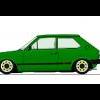
Howdy! Quick question here, how do you get the polo you created on the above site as your avatar?

Cheers to whoever can help 8-)

  • Replies 7
  • Views 2k
  • Created
  • Last Reply

Top Posters In This Topic

print screen...paste in paint....crop.....save as jpeg

Press "Print Sc" button on your keyboard when you are on the page with the created car showing. then open a Paint document. then press paste and your whole page will be in there. then rub out all the unwanted stuff and then save. Then go on to Photobucket and upload your image then use either the Url or just add from a computer file :)

Kuszpit :)

  • Author
Press "Print Sc" button on your keyboard when you are on the page with the created car showing. then open a Paint document. then press paste and your whole page will be in there. then rub out all the unwanted stuff and then save. Then go on to Photobucket and upload your image then use either the Url or just add from a computer file :)

Kuszpit :)

^^^ :thumbsup:

Erm,stuck here. Computer says no. :(

If you're running Windows 7 you can use snipping tool aswell. I haven't used it yet I just use the normal method as explained above.

Press "Print Sc" button on your keyboard when you are on the page with the created car showing. then open a Paint document. then press paste and your whole page will be in there. then rub out all the unwanted stuff and then save. Then go on to Photobucket and upload your image then use either the Url or just add from a computer file :)

Kuszpit :)

Sorry to be pedantic, but using the select tool to cut out just the car would work better, once you've done that, copy the selected bit (the car) and paste it into a new paint window, if you're still getting a load of white around it, make the original white box you start with in paint smaller.

mac, apple+shift+4 draw a box, upload. job done.

Create an account or sign in to comment

Recently Browsing 0

  • No registered users viewing this page.

Account

Navigation

Search

Search

Configure browser push notifications

Chrome (Android)
  1. Tap the lock icon next to the address bar.
  2. Tap Permissions → Notifications.
  3. Adjust your preference.
Chrome (Desktop)
  1. Click the padlock icon in the address bar.
  2. Select Site settings.
  3. Find Notifications and adjust your preference.