Skip to content

Warning - Dodgy 6N on Autotrader

Featured Replies

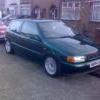
Hi guys, I think this is the right section to post in. Anyway i went to see a valver thats advertised on autotrader today at a dealer in Chesham.

Linky;

http://www.autotrader.co.uk/classified/adv...age/1?logcode=p

Anyway from the advert and speaking to the bloke its got a FSH, drives well and all the electrics work, great me thinks well go and have a look at that.

Well what can I say, I think its fucked;

Theres a big oil leak arround the rocker cover.

It wont hold a stady idle.

Temp gauge went from 0-70 in under 2 mins.

Cold idle is 1800rpm (dropped to 1000rpm after 2 mins).

Theres mayonaise under the oil cap and all down the inside of the rocker cover.

2 front tyres are barely legal (less than 2mm tread).

Sounded like it had a slight blow from the exhaust.

It hesitated badly whe you hit the throttle.

Theres wires hangeing loose under the dash that i think are the alarm.

The aux belt looks to of been rubbing on something and theres another aux belt behing the cover in the boot with the same damage.

The laquer is comming off the front bumper in big chunks.

Theres loads of scratches on the body.

Wheels are kerbed to fuck.

Drivers seat bolster is rather worn so id say it was owned by a fat bastard.

Anyway I spoke to the dealer and pointed out all these problems and he said was I gonna make an offer, I said at best £1200 (its advertised for £2000). We decided there was no chance we could meet in the middle and I'm still not a Polo owner again

I Didnt even get onto looking at the service history.

Anyway if anyone else goes to look beware.

  • Replies 4
  • Views 1.2k
  • Created
  • Last Reply

Top Posters In This Topic

LOL at how they posted a picture of it idleing high..

Oh dear! thanks for the thought to post it as from the poor quality pics doesnt look that bad state!

Didn't realise these were insurance group 10 :o

  • Author
LOL at how they posted a picture of it idleing high..

lol at how i didnt look that closely at that picture.

Create an account or sign in to comment

Recently Browsing 0

  • No registered users viewing this page.

Account

Navigation

Search

Search

Configure browser push notifications

Chrome (Android)
  1. Tap the lock icon next to the address bar.
  2. Tap Permissions → Notifications.
  3. Adjust your preference.
Chrome (Desktop)
  1. Click the padlock icon in the address bar.
  2. Select Site settings.
  3. Find Notifications and adjust your preference.