Skip to content

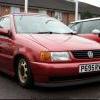
Sorg Mk1 Polo

Featured Replies

  • Replies 16
  • Views 2.4k
  • Created
  • Last Reply

Top Posters In This Topic

:drool:

i need that airbox in my life.

Looks like he may have relocated his brake fluid reservoir purely to get that airbox in! They ent usually on the right.

Looks like he may have relocated his brake fluid reservoir purely to get that airbox in! They ent usually on the right.

nothing to do with it being left hand drive then....

Looks like he may have relocated his brake fluid reservoir purely to get that airbox in! They ent usually on the right.

nothing to do with it being left hand drive then....

haha, would be an epic brake pedal linkage eh :p

Looks like he may have relocated his brake fluid reservoir purely to get that airbox in! They ent usually on the right.

nothing to do with it being left hand drive then....

haha, would be an epic brake pedal linkage eh :p

Fair point, didnt even notice that, I'm just seeing bolt holes over on the left though?

Edited by asherz

Looks like he may have relocated his brake fluid reservoir purely to get that airbox in! They ent usually on the right.

nothing to do with it being left hand drive then....

haha, would be an epic brake pedal linkage eh :p

Mk1 Golf uses that exact method, doesnt do much for the pedal feel though...

Is that running on webbers?

Is that running on webbers?

yea twin 40s looks like

Interesting that it has a servo fitted. Couldn't do that to a RHD version with that engine.

  • Author

such a sexy car. that whole engine bay i want in my life :(

:shock:8-)

Thats lushhha

See yall next week, going to pick this up to add to my collection ;)

  • Author

higgo its my 21st birthday next month if you fancy being nice ? :)

I could help you find a mk1? ahaha, I need to expand my collection you see ;)

  • Author

haha :p

Create an account or sign in to comment

Recently Browsing 0

  • No registered users viewing this page.

Account

Navigation

Search

Search

Configure browser push notifications

Chrome (Android)
  1. Tap the lock icon next to the address bar.
  2. Tap Permissions → Notifications.
  3. Adjust your preference.
Chrome (Desktop)
  1. Click the padlock icon in the address bar.
  2. Select Site settings.
  3. Find Notifications and adjust your preference.