Skip to content

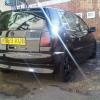
AJ's Black 5dr.

Featured Replies

Model: Black 1.4cl 8v

Engine: 8v power horse

Suspension: lowered 50/60mm on springs

Brakes: standard

Wheels and tyres: 16v wheels with a few budgets atm

Exterior styling: De-badged grille, black badge on back and de-badged, de-wipered, aero wipers up front, bee sting aerial, smoked rear lights, clear indicators, club polo sticker

interior styling: standard

Ice and security: Kenwood usb head unit, jbl speakers, remote central locking

Soon to come: window tint, maybe 16v bumpers and anything else that takes my fancy

From this:

post-34383-1282665124.jpg

To this so far:

40670_426833742372_598412372_5555585_249

post-34383-1282665158.jpg

Edited by aj9604

  • Replies 10
  • Views 2.5k
  • Created
  • Last Reply

Top Posters In This Topic

Posted Images

Nice Start, Any more future plans?

Thats looking good, i really want to do my wheels black.

that looks like a seriously tidy example youve got there.

  • Author

was toying with the idea of spacing the wheels out a bit, soon to tint the rear windows and have a black oneway sticker for my rear window soon hopefully with a logo on, was thinking of doing something with the bumpers maybe.

glad you guys like it

  • Author

what do people think of the dtm cup mirrors to replace the standard ones?

show us a pic and we can decide :p

Looking good so far!

Enjoy it ;)

Mattig DTM mirrors FTW but not the cheap ones from halfrauds.

AJ its mark from round the corner! Don't man maybe put some nice wheels on it

HID conversion perhaps

Mk3 Leather Interior

Some sounds

mk5 rear lights?

  • 3 weeks later...
  • Author

so i decided to sticker up my center console and fuel cap

IMG00009_20100920_1315.jpg

IMG00008_20100920_1315.jpg

i have also put checkered vinyl on my rear view mirror and towing eye cover, will put up pics of those soon

  • Author

more pics with clubpolo and sponsor sticker on the windscreen and checkered rear veiw mirror and tow eye cover

post-34383-1285261098_thumb.jpg

post-34383-1285261114_thumb.jpg

Create an account or sign in to comment

Recently Browsing 0

  • No registered users viewing this page.

Account

Navigation

Search

Search

Configure browser push notifications

Chrome (Android)
  1. Tap the lock icon next to the address bar.
  2. Tap Permissions → Notifications.
  3. Adjust your preference.
Chrome (Desktop)
  1. Click the padlock icon in the address bar.
  2. Select Site settings.
  3. Find Notifications and adjust your preference.