Skip to content

6n 1.0 to mk3 1.0 loon

Featured Replies

I will keep it short and simple...

Currently own a 1.0 6n with 101000 miles on it and i have been offered a swap for a 1.0 mk3 loon with 123k on it, will there be much difference in power and whats the most common faults with mk3's, especially at high milage?

Cheers :)

  • Replies 4
  • Views 914
  • Created
  • Last Reply

Top Posters In This Topic

Mk3 will feel faster as its lighter (i think, not sure with it being a loon) As long as theres good service history etc then it should be fine - look at the battery tray as theyr prone to rusting

  • Author

Well there isnt any service history :doubt:

Mine didnt come with any when i bought it a year back and i just serviced it as soon as i got it, was thinking of an engine conversion after xmas as I'm sick of 1.0 power anyway but dont know whether to get it or just wait, the body and wheels are spot on.

swap it! the loon is smart as!!

I'm biased as i own a loon but you should get the loon they are cracking cars and yes there lighter then the 6n look at the rear of the car under the bumper and at the rear lights as there costly to replace also check the rear wind screen for signs of leaking as they can engine swaps are a common way to go with mk3s as there are plenty of conversion threads up on here for them also you wont be able to use coilovers on a mk3 as they are very expensive unless you use guy (mclovins) guide to it wheel choices are simple anything 15 inch or under without arch work the best thing about mk3s is they are very easy to work on the front brakes can be very easily swapped out for vw11 calipers and the engines are usually very reliable the loon is getting less common now and more desirable to lots of people if i was in your situation id bite his friggin hand off and own something cool and different

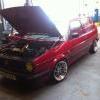
like mine

holidayandalltypes243.jpg

Edited by m4ttyf

Create an account or sign in to comment

Recently Browsing 0

  • No registered users viewing this page.

Account

Navigation

Search

Search

Configure browser push notifications

Chrome (Android)
  1. Tap the lock icon next to the address bar.
  2. Tap Permissions → Notifications.
  3. Adjust your preference.
Chrome (Desktop)
  1. Click the padlock icon in the address bar.
  2. Select Site settings.
  3. Find Notifications and adjust your preference.