Skip to content

mk2 bready ideas what have people done?

Featured Replies

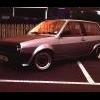
right have a lil breddy just thinking wht else to do to it its got mk2 golf cross hair headlights took the bump strips of the side and pinstriped in black, smokes indicators, clear rear light clustors, tinted windows removed black thing on rear arch... matt black bonnet, boser blink or eybrow spoiler as us english say. basicly i think its due a change so could people post up theres to give me a lil insperation please :-D

hears mine

Photo-0035.jpg

Photo-0043.jpg

Photo-0015.jpg

Edited by carsbabesbikes

  • Replies 12
  • Views 1.1k
  • Created
  • Last Reply

Top Posters In This Topic

Take off the eye brow and get the bonnet back to standard. Looks much nicer in the first picture. Lower it a little, and remove the plastic trim on the B pillar

Save up a buy some lower profile tyres there like balloons on there now

agreed on the tyres and bonnet

black bonnets only suit a few 60s muscle cars , that looks like youve got a new bonnet and not painted it

check out the mk2 section in the gallery

check out the mk2 section in the gallery

Standard bonnet

No Eyebrow

Lower Profile tyres

Lower ride height.

  • Author

yeah diddnt think i liked it after i painted the bonnet... will be having my wing painted soon so il see if i can get him to do a lil deal on doin the bonnet back to standard again i do agree it looks better standard. its lowerd 80 mill front 50 rear now lower profile tyres 165 50s i think.. not sure yeah thay were far to big a profile!!

haven't they ripped the arches to bits

need to think of carefull discreet mods....stickers n roof racks and crap have been done too much

  • 3 weeks later...

I read that crosshairs don't fit mk2 breadvan as I was looking to buy some ??

Tint the rear lights?

De wiper the rear?

standard or smoked rear lights in my opinion them rears donts suit the car ( well i dont think so anyway lol) remove eyebrow

Create an account or sign in to comment

Recently Browsing 0

  • No registered users viewing this page.

Account

Navigation

Search

Search

Configure browser push notifications

Chrome (Android)
  1. Tap the lock icon next to the address bar.
  2. Tap Permissions → Notifications.
  3. Adjust your preference.
Chrome (Desktop)
  1. Click the padlock icon in the address bar.
  2. Select Site settings.
  3. Find Notifications and adjust your preference.