Skip to content

2001 6n2 1.4 16v colour match

Featured Replies

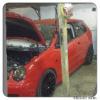
here guys i have a vw polo 2001 6n2 1.4 16v engine the 75bhp the engine has covered 84000 miles fully working had a recent clutch kitted fitted less then 6 months ago the camblet was changed at 72000 miles so a brilliant engine on this car i am only breaking as i was involved in a minor bump on the passenger side door on which the insurance have decided to right the car off as a cat c so rather then repairing the car i have decided to break the car and get my money back. the car was a 6n2 colour match which means the seats are half red as you would expect of the colour match the car still drives no issues what so ever only thing wrong with it is a dent in the passenger door all electric works fine the rest of the car is spotless so if you require any parts let me know would preffer collection but can post at the buyers expense .

2001 6n2 1.4 16v engine

3 door

red

motorised front lights

standard red lights at back

all electric

colour match interrrior excellent condition

clear side repeators

colour coded i believe stubby mirrors

centeral locking

and the usual 1.4 16v 6n2 spec the panels are bright red no fade what so ever in any panel

cant seem to upload pics on the forum at the moment it keeps on saying picture upload to big any help guys what i am doing wrong would like to put pictures up so you can see the car.

pictures can be viewed at ebay url under neath

http://cgi.ebay.co.uk/ws/eBayISAPI.dll?Vie...em=180664377376

you can contact me on 07815676234 or 07988972628

cars based at burton upon trent in staffordshire

  • Replies 1
  • Views 176
  • Created
  • Last Reply

Top Posters In This Topic

PM'd

Create an account or sign in to comment

Recently Browsing 0

  • No registered users viewing this page.

Important Information

We have placed cookies on your device to help make this website better. You can adjust your cookie settings, otherwise we'll assume you're okay to continue. Terms of Use Privacy Policy Guidelines

Account

Navigation

Search

Search

Configure browser push notifications

Chrome (Android)
  1. Tap the lock icon next to the address bar.
  2. Tap Permissions → Notifications.
  3. Adjust your preference.
Chrome (Desktop)
  1. Click the padlock icon in the address bar.
  2. Select Site settings.
  3. Find Notifications and adjust your preference.