Skip to content

H716 FDV Where are you?

Featured Replies

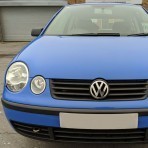
I sold my white mk2 breadvan (F899 YHG) lowered on black steels with retro roof rack alongside my cloud grey mk2 with chessboard style bonnet (H716 FDV) to a chap who lives in yeovil(?)

Does anyone know the wherabouts of the grey polo or have any information?

  • Replies 5
  • Views 1k
  • Created
  • Last Reply

Top Posters In This Topic

Using the DLVA vehicle check it seems like F899 YHG is still around but H716 FDV appears to be gone.

  • Author

I remember selling the grey car as a spares car due to having a front end crash, it was untaxed then and will presumably still be untaxed now... Good to know the white one is still about though, I would like to know if the grey car has avoided the scrapyard

H716 FDV:

Vehicle details could not be found

As it has not been possible to locate the vehicle details, your enquiry cannot proceed and has been cancelled.

F899 YHG:

The vehicle details for F899 YHG are:

Date of Liability 01 12 2011

Date of First Registration 23 03 1989

Year of Manufacture 1989

Cylinder Capacity (cc) 1050CC

CO2 Emissions Not Available

Fuel Type Petrol

Export Marker Not Applicable

Vehicle Status Licence Not Due

Vehicle Colour WHITE

no idea what has happened to the grey one, but atleast the white one is still on the road somewhere.

Edited by NEPolo

I'm not sure on the accuracy of the DVLA website.

If i type in details of any N.I. registered car it will come up as 'vehicle details cannot be found' even though the car/bike is on the road.

I'm not sure on the accuracy of the DVLA website.

If i type in details of any N.I. registered car it will come up as 'vehicle details cannot be found' even though the car/bike is on the road.

That will be because the car isn't registered with the DVLA :) its registered with the DVANI - Driver and Vehicle Agency - Northern Ireland.

Create an account or sign in to comment

Recently Browsing 0

  • No registered users viewing this page.

Account

Navigation

Search

Search

Configure browser push notifications

Chrome (Android)
  1. Tap the lock icon next to the address bar.
  2. Tap Permissions → Notifications.
  3. Adjust your preference.
Chrome (Desktop)
  1. Click the padlock icon in the address bar.
  2. Select Site settings.
  3. Find Notifications and adjust your preference.