Skip to content

Washing my car over a Diamondbrite application...?

Featured Replies

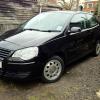
Hi all, I've just spend about £90 on stuff from cleanyourcar.co.uk and hope to spend some time on my Polo over the weekend (I'm a complete car washing newbie).

I bought my Polo 9n3 a month ago and it had a Diamondbrite application to it by the dealer (Lookers). I don't really care about this Diamondbrite stuff and want to wash my car with products I choose!

My question really is, will it matter that there is an application of this Diamondbrite protector when I wash my car and wax it?

Ben

  • Replies 3
  • Views 1.4k
  • Created
  • Last Reply

Top Posters In This Topic

Never heard of diamondbrite, they look good but if I were you id stick to meguiars (if you have an iphone, download the app and it shows you the 5 step washing cycle) or I can highly recommend Dodo juice, now I've got it I wouldnt use anything else!

Said video...

  • Author

I've bought mostly Meguiars stuff to be honest but this Diamondbrite application is supposed to last years. I assume if I don't use the provided Diamondbrite shampoo and conserved then using my choice will just replace it.

It won't come off with just a wash. Depends on what kind of result your after. I've got a 9N3 and I've went down a different approach in terms of certainly polishing/waxing the vehicle. After years of being a detailer I've found a perfect match/combo to use on mine...

Menzerna Power Finish (PO203S) (Polish)

Meguiars Ultimate Carnauba Wax

Its all personal choose at the end of the day and I'm not going to bore you by going through what I do to mine. I swore to mostly Menzerna, Meguiars and Poorboys and found these 3 are certainly the top products for all types of paintwork.

I would try a very slight cutting compound like above, that way whatever the dealership put on your car will come off and whatever you decide to put on, will go on. Always make sure you use fresh microfibre/foam cloths/pads and you'll be fine. Good luck :thumbsup:

Create an account or sign in to comment

Recently Browsing 0

  • No registered users viewing this page.

Account

Navigation

Search

Search

Configure browser push notifications

Chrome (Android)
  1. Tap the lock icon next to the address bar.
  2. Tap Permissions → Notifications.
  3. Adjust your preference.
Chrome (Desktop)
  1. Click the padlock icon in the address bar.
  2. Select Site settings.
  3. Find Notifications and adjust your preference.