Skip to content

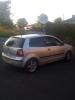
VW Polo 1.9 TDI Sport

Featured Replies

For Sale is my VW Polo 1.9 TDI Sport 100bhp

Mileage on car is 147k but dont let that put you off as these cars run forever when looked after, the only real sign of the high mileage is the stone chips on the front of the car stil pulls like a train and the interior is in near new condition. I have only owned car since june and its been great on fuel and to drive but i'm selling due to change of job, car has a stack of reciepts, previous MOTs, old tax discs etc. Work I've had done on car whilst I've owned it are new brake pads, new power steering pump and an oil n filter. Car only has one key, but has aftermarket alarm with safety features such as doors always lock when over 10mph.

MOT: March 2013

TAX: 30th sept 2012 (may put 6 months tax on, may not)

Modifications are:

TA Technix coilovers wound most of the way down (roughly 100mm front 90mm back)(also have full standard suspension which will be included in sale)

Remapped, was rolling roaded at 133bhp with print outs to prove this

Polo GTI Monza alloys 16inch (good tread allround and alloys in good condition with the odd kurb)

Decat (put on after remap so car may be runing a couple more bhp)

Twin tipped GTI style back box

Front and Rear VW badge sprayed black

Team Heko wind deflectors

HIDS 6k ice white

Boost gauge and Volts gauge

Dubmeister legal pressed plates

anymore questions just ask, pm on here or text/ring me on 07807567724, car is based in lancashire,

£2300 o.n.o

Burnley-20120915-00135_zps8dc248b5.jpg

Burnley-20120908-00118_zpsaf6d0802.jpg

Ribble%20Valley-20120915-00136_zpsed38a0

Edited by mark4polo

  • Replies 3
  • Views 576
  • Created
  • Last Reply

Top Posters In This Topic

My old car. 8-)

Edited by RobWhite1992

  • Author

Sold.

  • 2 weeks later...

To me!

Guest
This topic is now closed to further replies.

Recently Browsing 0

  • No registered users viewing this page.

Account

Navigation

Search

Search

Configure browser push notifications

Chrome (Android)
  1. Tap the lock icon next to the address bar.
  2. Tap Permissions → Notifications.
  3. Adjust your preference.
Chrome (Desktop)
  1. Click the padlock icon in the address bar.
  2. Select Site settings.
  3. Find Notifications and adjust your preference.