Skip to content

Yellow 1.4 16V Polo Sport (100 BHP)

Featured Replies

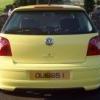
Here we have my 1.4 16V Polo Sport (100 BHP)

I have owned the car the past two years since purchasing it from England.

Car comes with a full year MOT (Passed 6/9/12) and 6 months tax. I have lots of previous MOT certificates & VOSA stat sheets to accompany the car. In immaculate condition, and a definite one-off!

In my opinion, Pictures speak a thousand words, rather than me typing a whole lot of text. Spec detailed below:

2002

1.4 16V Petrol (100 BHP)

Manual 5 Speed

84,000 Miles

£2850

QUIGGS2001@HOTMAIL.COM

07955990499

Car is in Maiden City / Derry / Londonderry Area

ABS,

Air conditioning,

16" Sport Alloy wheels,

Leather Steering Wheel,

Leather Gearknob & Handbrake,

Cupholder (x3),

VW Votex Factory bodykit,

Remote Central locking (2 keys),

Folding rear seats,

Immobiliser,

Passenger airbag,

Cloth Sports Interior,

6 CD In-Dash Multichanger,

Radio/Cassette,

Colour coded Body,

Side airbags,

Rear headrests,

Sports seats,

Alarm,

Height adjustable drivers & passenger seat,

Front electric windows,

Front head restraints,

Isofix child seat anchor points,

PAS,

Steering wheel rake adjustment,

Driver & Passenger under-seat drawers,

Trip computer,

Electric door mirrors,

Full size spare wheel,

Drivers airbag,

Front fog lights,

Insurance Group: 6

20120830_171119.jpg

20120830_171105.jpg

20120830_171043.jpg

20120830_171022.jpg

20120830_171016.jpg

20120830_170838.jpg

20120821_105136.jpg

20120821_105128.jpg

20120821_105000.jpg

20120821_104930.jpg

20120821_104922.jpg

Edited by Polo_Quiggs

  • Replies 2
  • Views 484
  • Created
  • Last Reply

Top Posters In This Topic

  • Author

Bump - no takers?

  • Author
SOLD

Edited by Polo_Quiggs

Guest
This topic is now closed to further replies.

Recently Browsing 0

  • No registered users viewing this page.

Account

Navigation

Search

Search

Configure browser push notifications

Chrome (Android)
  1. Tap the lock icon next to the address bar.
  2. Tap Permissions → Notifications.
  3. Adjust your preference.
Chrome (Desktop)
  1. Click the padlock icon in the address bar.
  2. Select Site settings.
  3. Find Notifications and adjust your preference.