Skip to content

VW Golf GT TDI - 130 - Grey

Featured Replies

On Ebay now,

http://www.ebay.co.uk/itm/300885271913?ssP...984.m1555.l2649

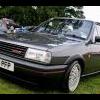
Here is my VW Golf GT TDi 130 for sale,

52/2003

Grey

118192 miles (will rise as I use daily)

TAX till 28/08/2013

MOT- 11 months

Climate control

6 cd changer

6 speed gearbox

Electric windows

Climate control with excellent A/C

ESP

Remote central locking

I have owned this car for just over a year now and it has been a joy to drive, perfect for what I wanted it for, a daily commuter with good fuel economy but also has very good performance. I drive this car to work every day and it easily produces an MPG of 48-54. The car has 6 gears which is very useful for motorway journeys

Since owing the car I have never had any problems, other than a split CV gaiter.

As most of you probably know the GT Tdi 130 engine is the best out of the Perfomance Diesel(PD) engines VW offer, and the performance is defiantly noticed. The power delivery is smooth and constant and does not feel like it will stop pulling.

I have had the car remapped by Richard Washbrook who is highly recommended and actually creates maps for companies, he doesn’t normally do private customers cars. The car should be producing 170-185bhp & 370-380lbs/ft.

I spoke to Richard whether it was wise to remap the car due to me wanting a trouble free car for daily driving , and he said “stage 1” map as they call it is fine, the only issue is if your turbo is old, but before I owned the car, the previous owner had a new turbo fitted at 96443.

Everything else on the car is standard and hasn’t been modified. The bodywork is in good condition, there are a few very very minor marks and dings and slight rust on one of the front arches, but this is expected on a car this age

The car has full service history with all stamps, including booklet full of receipts

Viewing is welcome

If there are any questions that you have please do not hesitate to contact me.

  • Replies 1
  • Views 426
  • Created
  • Last Reply

Top Posters In This Topic

Popular Days

  • Author

Less than a day left

Create an account or sign in to comment

Recently Browsing 0

  • No registered users viewing this page.

Account

Navigation

Search

Search

Configure browser push notifications

Chrome (Android)
  1. Tap the lock icon next to the address bar.
  2. Tap Permissions → Notifications.
  3. Adjust your preference.
Chrome (Desktop)
  1. Click the padlock icon in the address bar.
  2. Select Site settings.
  3. Find Notifications and adjust your preference.