Skip to content

My 1.9TDI Sport

Featured Replies

Hello everyone! :-D
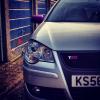
Just joined club polo been looking at ideas for my recently brought 1.9TDI Sport! So many things I want to do with this car but it's going to be a slow process (never changed more than a bulb on my previous cars!) :thumbsup: Decided to join for people's opinions and ideas so yeah any feedback on the car would be great! Anyway here's a couple of pictures of it just before I picked it up, standard nothing special, for now... ;)


post-146413-1373980542.jpgpost-146413-1373980597.jpgpost-146413-1373980573.jpgpost-146413-1373980559.jpg
post-146413-1373980616_thumb.jpg
  • Replies 6
  • Views 853
  • Created
  • Last Reply

Top Posters In This Topic

Posted Images

Should be an economical motor mate good luck

Edited by nige8021
No need to quote with all the pictures

Although it'll happen only between 2000 and 3000rpm, for a very short time that will accelerate really well. Learn to use this with the dual mass flywheel to your advantage, and you'll get it down the road decently swiftly! Just you won't notice how quick you're going, so if you're somewhere there may be kids etc then be careful..

Good motor for commuting, they are.

  • Author

First little steps debadge and rear lights :-) (rear lights are tights over top but I've ordered some wrap for them instead should be here next week)

Next up grill and window tint... Little undecided on what grill, get the obvious GTI or do I risk it with the Bluemotion one which I'm really not that keep on?! Or just keep mine, paint the badge black and get rid of the silver outlining?

post-146413-1374094075_thumb.jpg

I dunno mate, Adams bluemotion pimps pretty hard...

DSC_0117.jpg

Edited by Matt Mk3loon

  • Author
I dunno mate, Adams bluemotion pimps pretty hard...

I agree looks nice! I think it would be too much in silver tho? Cant find any nice examples of the Bluemotion on a silver car :thumbsdown:

  • Author

Wraps on, looks a little boring to me may try silver possibly pink if it doesn't look too tacky :lol:

post-146413-1374713845.jpg

Liking this though :smirk:

post-146413-1374713985.jpg

Create an account or sign in to comment

Recently Browsing 0

  • No registered users viewing this page.

Account

Navigation

Search

Search

Configure browser push notifications

Chrome (Android)
  1. Tap the lock icon next to the address bar.
  2. Tap Permissions → Notifications.
  3. Adjust your preference.
Chrome (Desktop)
  1. Click the padlock icon in the address bar.
  2. Select Site settings.
  3. Find Notifications and adjust your preference.