Skip to content

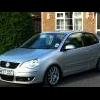
2007 1.2 S (55) 9n3

Featured Replies

Make: Volkswagen Polo

Model: 1.2 S
Year/Reg: 2007 (07)
Mileage: 57,162
MOT: 5th March 2014 (will put through for the buyer)
Tax: 28th February 2014 (will put 6 months on for the buyer)

Good points: I've had the car since March 2012 and it hasn't given me any problems whatsoever. It runs smoothly and is relatively cheap to insure if you are a looking for your first car. The 1.2 S model comes with both air conditioning and electric windows as well as fog lights. The car has full Volkswagen service history up until its last service in July 2012. I have serviced it myself this year due to the cost Volkswagen like to charge.

I have covered less than 11,000 miles in the 2 years I have owned the car and it has 3 previous owners with the last 2 being in our family (same address). The only modification I have done is adding remote central locking to the car, using original OEM parts and I have also enabled a few options in VCDS such as Anti-Hijack. I will provide both the original 1.2 S wheels and the BBS Montreals with the car. However please note the Montreals will need new tyres ASAP as they are running very very low in contrast to the original wheels which have plenty of tread left in them.


Bad points: The only bad point regarding the car is a scratch to the front bumper due to another driver clipping the car (most of it has polished, apart from the deep part). Other that in my opinion it is in very, very good condition.


Location: Leeds, West Yorkshire


Pictures:

12397487533_ff9fae6d7a.jpg
12397340725_d95a667778.jpg
12397432345_55049d2c2c.jpg
7483289150_2923a5c919.jpg
12397432275_757efbacc7.jpg
7483289524_07af8cdfee.jpg
12397185125_c9db105fff.jpg


Price: £3800 ONO
Contact details: You can get in touch with me via PM, text on 07791724019 or email at adam@puredents.co.uk.

Edited by ASKendrew

  • 1 month later...
  • Replies 1
  • Views 171
  • Created
  • Last Reply

Top Posters In This Topic

This item/s has now sold.

Guest
This topic is now closed to further replies.

Recently Browsing 0

  • No registered users viewing this page.

Account

Navigation

Search

Search

Configure browser push notifications

Chrome (Android)
  1. Tap the lock icon next to the address bar.
  2. Tap Permissions → Notifications.
  3. Adjust your preference.
Chrome (Desktop)
  1. Click the padlock icon in the address bar.
  2. Select Site settings.
  3. Find Notifications and adjust your preference.