Skip to content

Mk2 golf 1.6 Helios blue

Featured Replies

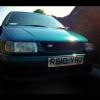
For sale is my 1989 G reg 1.6 Driver in Helios Blue 3dr.

I bought it not so long ago, just on the basis of how straight it is.

However I really haven't got the time to do the things I want to do like engine conversion etc.

Just going to get something like a mk4 tdi now I think.

Anyway here are the specs:

1.6 Driver

141k

Completely Standard

2 previous owners

Mot : September 14

Tax: August 14

Timing belt was changed 11k ago along with waterpump

Recently just had new heater matrix and radiator and genuine vw thermostat.

It's a clean car with a solid body.

Bad bits:

Chip in windscreen - nothing major on passenger side, I can source a windscreen if I get right price for the car.

Bit of surface rust around back tow hook.

Couple of dinks but nothing big it's a really clean car for the age!

Could do with a set of pads, getting a bit squeaky.

I got the car with a broken drivers window and crap door seals, I have replaced them and the window mech and gone over the car and cleaned it all.

It needs a good home as it's got plenty of life left in it even on the engine In it.

I am based in Wigan posting this on my iPad so if you want pics drop me a PM and I will send u some via email or text. Will try get on PC though ASAP and post some.

I'm going to put it up at £750 ono as I think it's fair and it's pretty much what I paid and I've cleaned and fixed it up.

Thanks for looking

  • Replies 6
  • Views 505
  • Created
  • Last Reply

Top Posters In This Topic

Can you message me pics to j4ck8100r@hotmail.co.uk

I think your inbox is full too

Hi bud can you send me pics please. s.j.gilham@hotmail.co.uk

send pics to u_jordan_u@hotmail.co.uk

Can you send some pics to tomtom_69a@hotmail.com

Pics to tj.smith1991@hotmail.co.uk

Can u send pics to normz_4_@hotmail.com cheers pal

Create an account or sign in to comment

Recently Browsing 0

  • No registered users viewing this page.

Account

Navigation

Search

Search

Configure browser push notifications

Chrome (Android)
  1. Tap the lock icon next to the address bar.
  2. Tap Permissions → Notifications.
  3. Adjust your preference.
Chrome (Desktop)
  1. Click the padlock icon in the address bar.
  2. Select Site settings.
  3. Find Notifications and adjust your preference.