Skip to content

What front seats fit in a 6N without modding?

Featured Replies

Lots of conflicting information but...

VW Golf MK3
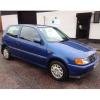
VW Polo 6N2
Seat Ibiza MK2

VW Corrado?

Are these the right model numbers for seats that will fit in my 6N, especially unsure on the Seat Ibiza ones.

Thanks

Michael

Edited by michaeldc

  • Replies 5
  • Views 3.1k
  • Created
  • Last Reply

Top Posters In This Topic

Mk3 golf and 6n2 are definate, the ibiza equivalent seats fits as the ibiza half leathers are commonly put in. As for corrado I think they go in mk3 polos not 6n/2 but I could be wrong

  • Author

Thanks matt, it's the model number of the Ibiza that I am unsure of - I think it's the 6K and 6K2 (like the 6N and 6N2 in Polo speak) but I'm not 100%

I'm probably wrong about the Corrados as well, it's difficult to get concrete information online, a lot of posts seem to contradict each other.

I don't know the model variants I'm afraid. Might come up with some if you just search ibiza half leathers on eBay, think they say "cuppa" all over them from 00-02 plate

  • Author

Will keep looking, thanks for the advice matt.

I'm still holding out hope for a pair of MK3 leathers for a decent price, a breaker in Swansea had a set listed as MK3 but the car didn't look like one and was in fact an MK4, nearly had them delivered for £120 so was gutted to find out they were the wrong ones! Keeping my fingers crossed!

Mk 3 golf leather recaros are the best ones that will fit without mods. MK3 ones have loads of support and are the most comfy seat in the world. 6n2 colour concepts are pretty much the same.

Only being slightly bias sat in 16v, gti and the seat half leathers they're all pretty much the same.

I paid £65-80 (with a 4 1/2 hour round trip) for my mk3 recaros with a tear in the bolster that I'm getting repaired for Christmas.

Create an account or sign in to comment

Recently Browsing 0

  • No registered users viewing this page.

Account

Navigation

Search

Search

Configure browser push notifications

Chrome (Android)
  1. Tap the lock icon next to the address bar.
  2. Tap Permissions → Notifications.
  3. Adjust your preference.
Chrome (Desktop)
  1. Click the padlock icon in the address bar.
  2. Select Site settings.
  3. Find Notifications and adjust your preference.