Skip to content

Rear wheel 'wobble' and unknown tyre wear

Featured Replies

Basically....

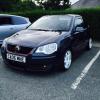
I have a 'wobble' or rear end 'twitch' when braking or taking bends. This has only started recently and I have had tracking done to see if this affected it, changed my wheel bearings, checked my suspension and ensured my camber was correct.... Still no change and am wondering if anyone knows what this could be?

Also, in one of the pictures it shows a black dust on the rear wheel. This is on both sides and I'm assuming by the texture and the wear on the tyres that they have been rubbing but they are not touching the arches or suspension so I have no idea what could be causing this??

post-919668-0-66685000-1436647187_thumb.

post-919668-0-90294300-1436647230_thumb.

post-919668-0-79828000-1436647404_thumb.

Edited by EllieOakley

  • Replies 7
  • Views 2.3k
  • Created
  • Last Reply

Top Posters In This Topic

Posted Images

You do seem to have a bit of negative camber on the rear wheels, what is the wear like and what make are the tyres?

  • Author

Negative camber was intended so was expecting some wear and they're nankangs. But the wear on the tyres in literally no wider than 1cm on the back and is consistent around the tyre so it can't be due to road wear surely?

Edited by EllieOakley

Do you have a picture of the wear? Is it just on the one side?

If you take a hold of the wheel and try and wobble it back and forth can you feel any play?

  • Author

d46e901f0296b2cda0e7e95930728e67.jpg

Best photo I can take this time of night. It's on both sides.

I've done that and there's no play at all :(

Looks more like wear you would see from bad tracking, too much toe in...

I don't know if there is any adjustment on the rear of the 9n3?

  • Author

This was my tracking report...

And no it can't be adjusted :( 73f3fc7286c421fcda62d8e4ec3507c2.jpg

Edited by EllieOakley

  • Author

I'll adjust the washer difference on the camber tomorrow see if that makes any difference :)

Create an account or sign in to comment

Recently Browsing 0

  • No registered users viewing this page.

Account

Navigation

Search

Search

Configure browser push notifications

Chrome (Android)
  1. Tap the lock icon next to the address bar.
  2. Tap Permissions → Notifications.
  3. Adjust your preference.
Chrome (Desktop)
  1. Click the padlock icon in the address bar.
  2. Select Site settings.
  3. Find Notifications and adjust your preference.