Skip to content

Janis' Polo 6N

Featured Replies

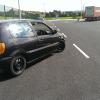
So it all started 4 months ago, when I got myself a 1998 Polo 6n 1.0 8v. It was plain stock Polo on steel wheels. Heres a photo.

R6QkhY7.jpg

First of all, I decided that I need to get rid of the chrome badge on front, to make it more of an "angry" look. I just sanded it down, applied some primer and sprayed it with black paint. I decided I want steelies on it, but at that time I didnt have money to get them banded, so I just decided to spray the stock ones black for some extra street cred. I also sprayed the front lip black.

bml3lXv.jpg

After a while, I didnt like the plain black front badge, so I sprayed the inside of it with some red paint, let it run for them extra BHP's.

4YkhAn8.jpg

Got myself some TA Technix coilies from ebay for 220 euros after that for some extra stanceness. Heres a pic of it on my awesome carpet.

bzuBJZS.jpg

Before the coilies, with a black polo badge and some more stickers.

gQIqoy1.jpg

And this is after I put on the coilovers, all polished and shiny. This is pretty much how it looks at the moment too.

AtkXlqm.jpg

However, I have since done a little engine conversion, from a standard 1.0 engine to a 1.4 8v engine from another polo, as my old engine gave up on me.

I have planned to tint the back windows, get my steels banded, stretch tires. Project is coming along very slowly due to lack of money as I quit my job, but I will be progressing slowly. Any questions about anything, I will gladly answer.

  • Replies 2
  • Views 1.8k
  • Created
  • Last Reply

Top Posters In This Topic

Nice polo, looks stealth black on black .might have to bug/pm you a few questions about your conversion as my 1.0 is slowly dieing

Edited by madnemo

  • 1 month later...
  • Author

Project is starting to come alive again as I got myself a job in a garage! Have done a few bits to it since like painting the rocker cover, drilling the airbox etc. Hopefully will be getting myself some wheels tonight too, so keep an eye out for an update very soon!

Create an account or sign in to comment

Recently Browsing 0

  • No registered users viewing this page.

Account

Navigation

Search

Search

Configure browser push notifications

Chrome (Android)
  1. Tap the lock icon next to the address bar.
  2. Tap Permissions → Notifications.
  3. Adjust your preference.
Chrome (Desktop)
  1. Click the padlock icon in the address bar.
  2. Select Site settings.
  3. Find Notifications and adjust your preference.