Skip to content

Front fog lights for mk2/f

Featured Replies

Hi all,

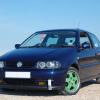
I have been looking at the front fog light blanks in the bumpers for a while and I have decided that I now want to fit lights into them.

I'm looking to fit the originals and have found a nice set at a great price on German eBay.

My question is, how do I go about fitting them? I have never worked on the bumpers for this car. Are there already brackets etc behind? Do I have to cut the holes into the bumper?

I can't find another bumper which has the holes already cut, so I can only imagine they are rare. I have found a very cheap used bumper on eBay which I may buy to practice on before destroying the one on the car as its in mint condition.

Wiring wise, am I right in saying I would need to extend the wiring from the scuttle area to the lights? Is there a relay or fuse I need to add somewhere?

Thanks guys

Edited by dixy

  • Replies 3
  • Views 1.6k
  • Created
  • Last Reply

Top Posters In This Topic

You'll need to cut the holes out, but it isn't hard. I did mine with a stanley knife that I heated up with a lighter.

As for the wiring the white plug up at the scuttle is what the loom for them would plug in to if you can get the loom.

  • Author

Thanks for the info buddy.

Is the shape easy enough to follow? I have a hot knife thing somewhere, it's like a soldering iron but with a blade on the end do will probably use that.

I did this on a mk2 golf big bumper and they almost fell out when I pushed them, I was hoping it's the same on these.

Wiring wise I can make the loom, I have a huge box of VAG connectors and new pins etc. So they just work as is? There's no need for an extra fuse etc?

Thanks again

Yeah was easy enough for me. I just cut mine out for air flow to the oil cooler but the idea is the same. I didn't see any indication that it would just push out though.

As far as I'm aware it is a case of just hooking into that connector as it runs off the same switch as the rear fog light.

Create an account or sign in to comment

Recently Browsing 0

  • No registered users viewing this page.

Account

Navigation

Search

Search

Configure browser push notifications

Chrome (Android)
  1. Tap the lock icon next to the address bar.
  2. Tap Permissions → Notifications.
  3. Adjust your preference.
Chrome (Desktop)
  1. Click the padlock icon in the address bar.
  2. Select Site settings.
  3. Find Notifications and adjust your preference.