Skip to content

Afh polo no electrics

Featured Replies

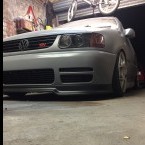
So I left my polo for about 3 or 4 days and when I came to start it nothing happened I've checked all the fuses

They are okay. The battery is 2 weeks old and I'm getting a good voltage 12.5 volts. What I'm getting now is absolutely no lights on anywhere now it's all completely dead. The clocks were jumping around, ticking fuel and temp go haywire the most. Would that be the cause faulty clocks or something more sinister ie faulty ecu etc

thanks in advance

post-24565-0-72243700-1448836415_thumb.p

  • Replies 5
  • Views 1k
  • Created
  • Last Reply

Top Posters In This Topic

Posted Images

Check the battery connections, make sure they are tight and clean.

If it's a p reg it doesn't have the fuse box above the battery but does have a 10mm nut holding the other wires down. Again check this is tight and clean. Sometime the threads can strip and the nut will just spin meaning a bad connection.

  • Author

Battery's in the boot with an in line 80amp fuse clean new terminals so can't be that

Are you still able to turn the engine over on the starter. The clocks or ECU don't have an effect on that.

If not I'd say dodgy connections or dodgy battery. It's not uncommon for a battery to show 12v but have no actual power to crank the engine over.

  • Author

Thanks will try jumping it with my van I bought a new battery as the other just died one day after no ill effects beforehand

with the battery in the boot could that possibly have an effect on the battery itself I've got a live cable from the front to back and I'm earthing on point in the spare wheel well I know it's not great

Providing the live going to the front is a decent size of wire and the earthing point has a good connection to the body then it shouldn't make any difference.

You could maybe test the earth though by hooking a jump lead between the negative and the door latch pin or something to see if that makes a difference.

Create an account or sign in to comment

Recently Browsing 0

  • No registered users viewing this page.

Account

Navigation

Search

Search

Configure browser push notifications

Chrome (Android)
  1. Tap the lock icon next to the address bar.
  2. Tap Permissions → Notifications.
  3. Adjust your preference.
Chrome (Desktop)
  1. Click the padlock icon in the address bar.
  2. Select Site settings.
  3. Find Notifications and adjust your preference.