Skip to content

Mk2/f stickers, badges and vinyl

Featured Replies

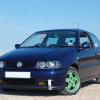
I am looking to replace the "boulevard" stickers on the rear quarters. I haven't found any on eBay - would VW stock these? Or does anyone know of anywhere to get them from

Rear badges, mine has "polo" "coupe" and "boulevard" and all the silver has faded. What do these run new roughly? If it's reasonable I might replace failing that I will just paint them silver again.

The B pillar has a vinyl black trxtured cover. I have not been able to find this type of texture of vinyl. Anyone know where to get this from?

Thanks guys

  • Replies 6
  • Views 2.6k
  • Created
  • Last Reply

Top Posters In This Topic

Posted Images

  • Author

Thanks dude.

I imagine that's a similar price to the dealers, I will stop by vw in a while when I go to get some parts and see what they can do.

I wasn't going to use a chrome finish paint as it never comes out right, I was going to go for a silver/grey matte finish like earlier vag badges. Either that or aluminium tape and lacquer.

Had a search on VW heritage for boulevard but nothing comes up. I will ask at VW but imagine it's extortion for a sticker. I was hoping someone had made some up or knows a printing company somewhere that has the patterns etc.

DKnight does stickers via his website https://www.volkswagenstickers.co.uk/ maybe see if he can do anything? He has the B pillar ones for sale already.

If not I've used Antics Decals in the past to get stickers made up.

  • Author

Awesome just what I wanted ! Thanks.

I've ordered the side trim covers from them, at £16 that's half of what the dealer wanted for one side !

I have messaged them about the side stickers so will hopefully hear back soon.

Badges from the dealer where around £40 all in, so I'm just going to do them with paint, if they turn out terrible then I can always get new ones.

Thanks guys

Hmmm I want to replace my Fox rear quarter stickers. Might try the above website as well.

I used a sticker from German eBay. I searched for Polo 86C and it came up after a couple of pages.

post-2904-0-53848600-1453394564_thumb.jp

Create an account or sign in to comment

Recently Browsing 0

  • No registered users viewing this page.

Account

Navigation

Search

Search

Configure browser push notifications

Chrome (Android)
  1. Tap the lock icon next to the address bar.
  2. Tap Permissions → Notifications.
  3. Adjust your preference.
Chrome (Desktop)
  1. Click the padlock icon in the address bar.
  2. Select Site settings.
  3. Find Notifications and adjust your preference.