Skip to content

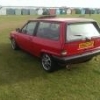
TRACTION! = NONE! Mk3 GT

Featured Replies

  • Author

This may be a silly question, but is it possible you fitted them backwards?

Aha I knows it's entirely possibly but no, the only thing I can think of is the fact that my tyres are on the skinny side.
  • Replies 30
  • Views 2k
  • Created
  • Last Reply

Top Posters In This Topic

Most Popular Posts

  • I know about the arb blocks I use them on my bready van and I hate them with a passion, made everything a whole lot worse. I'm not modifying my GT so won't consider them but thanks for the suggestion.

  • has to be tyres , their pressure or the angle they sit on the road i run michelins all round on mine and recently had to run a no name on one front for a while , could noticebly lock or spin it up c

I must concur. My old bready was lowered without blocks and suffered the usual lack of steering. Coupe I had with the blocks was much better. Had 195/45/14s too which helped. Handled really well actually

Are they not designed as castor correction blocks for when you lower your car, so would be irrelevant at standard ride height?

or have you got high speed stability issues that you neeeeed castor

  • Author

Are they not designed as castor correction blocks for when you lower your car, so would be irrelevant at standard ride height?

or have you got high speed stability issues that you neeeeed castor

I got arb blocks of my breadvan because i was advised to after lowering it, to correct the castor as you say. but down the country roads where I work it just made it drive worse in my eyes. But the original GT traction problem was all down to higher tyre pressures

I think some things can be a placebo effect, one person says somethings good and everyone else kind of joins in on that

Mine was a lot better after fitting but then again my arb bushes were shot!

Create an account or sign in to comment

Recently Browsing 0

  • No registered users viewing this page.

Account

Navigation

Search

Search

Configure browser push notifications

Chrome (Android)
  1. Tap the lock icon next to the address bar.
  2. Tap Permissions → Notifications.
  3. Adjust your preference.
Chrome (Desktop)
  1. Click the padlock icon in the address bar.
  2. Select Site settings.
  3. Find Notifications and adjust your preference.