Skip to content

Featured Replies

Hi Guys,


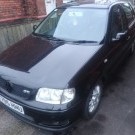
looking for a bit of assistance.  Recently bought a 6n2 GTI - came with single key and the remote central locking doesn't work.  I've tried the usual stuff, but the key seems to have died.  When put in the door the key will lock and unlock the car, but if any door other than the drivers is opened and/or the car isn't started immediately the alarm goes off until the car is started and the immobiliser kills the alarm.


I've disconnected the siren on the alarm and have been living with it like that since, but wanted to know if there was a way of disabling the alarm or remote central locking, while keeping it working on the key in the door?


I've looked on VagCom and can't access the central locking unit (35) but have found some of the system under central conv. (46).


Anyone got any ideas if there is a way to code the alarm out but keep the central locking?


Cheers, 


Phil

  • Replies 2
  • Views 1.5k
  • Created
  • Last Reply

Top Posters In This Topic

Hiya mate, personally i would just fit a central locking control box from ebay for about £9. I fitted one to my polo the other month because of lock problems and it works great and quick to fit. Okay you have to use a seperate fob but to me this is no problem. The kit comes with 2 fobs with batteries already in and instructions. There are a few postings on this site regarding fitting these kits which i found helpful as some of the wiring colours do not correspond to the instructions. 

  • 2 months later...
On 24/02/2017 at 14:27, davidw123 said:

Hiya mate, personally i would just fit a central locking control box from ebay for about £9. I fitted one to my polo the other month because of lock problems and it works great and quick to fit. Okay you have to use a seperate fob but to me this is no problem. The kit comes with 2 fobs with batteries already in and instructions. There are a few postings on this site regarding fitting these kits which i found helpful as some of the wiring colours do not correspond to the instructions. 

Do you have a link for this kit

Create an account or sign in to comment

Recently Browsing 0

  • No registered users viewing this page.

Account

Navigation

Search

Search

Configure browser push notifications

Chrome (Android)
  1. Tap the lock icon next to the address bar.
  2. Tap Permissions → Notifications.
  3. Adjust your preference.
Chrome (Desktop)
  1. Click the padlock icon in the address bar.
  2. Select Site settings.
  3. Find Notifications and adjust your preference.