Skip to content

MK2 Breadvan Driveshaft CV boots

Featured Replies

This is my 1st visit for a while to this forum, to try and solve a problem sourcing the correct size CV boot for a driveshaft.


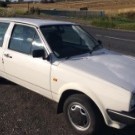
I’m after the outer wheel side boot from the Left Hand Driveshaft as fitted to a 1989 1043 Polo Fox.Chassis number starting 80ZKW20****


The driveshafts are different diameters 20mm on the right(longer one) and 25mm on the left(shorter one).The right hand one seems generally easily available,but as for the left one it seems a minefield to get the right size.


Most of the boots are listed at 20mm diameter, and I’m sure you can’t/shouldn’t stretch one of those to make it fit the larger driveshaft.


The  VW part number for the the kit for the smaller 20mm one seems to be 871-498-203A, Febi 08475, GKN Lobro 300355. The left one I just can’t fathom out.All the suppliers seem to be as confused as I am and I’ve trawled eBay for hours, without success. Which driveshaft is fitted also seems to be a lottery.


So has anyone got a definitive part number for the boot kit for the larger 25mm diameter driveshaft, to help me out?
 

cheers


  • Replies 3
  • Views 605
  • Created
  • Last Reply

Top Posters In This Topic

What could be the case is that it's needed a CV joint at some stage, and someone's just put a second-hand shaft onto it. There lengths didn't really change other than 4/5 speed variants, but the earlier cars had thinner shafts. 

  • 1 month later...
  • Author
On 13/11/2020 at 20:27, nige8021 said:

https://volkswagen.7zap.com/en/rdw/polo+derby+vento-ind/po/1989-9/4/407-30000/#31  if you click on the symbol in the right column it gives you the applicability and after market part #'s that you might be able to search and see the sizes ?


Cheers for that, now got it sorted, thanks for the help.


Lobro(GKN) part no 300357 did the trick and the CV joint was found to be 81mm diameter.

Edited by mk2tastic

Create an account or sign in to comment

Recently Browsing 0

  • No registered users viewing this page.

Account

Navigation

Search

Search

Configure browser push notifications

Chrome (Android)
  1. Tap the lock icon next to the address bar.
  2. Tap Permissions → Notifications.
  3. Adjust your preference.
Chrome (Desktop)
  1. Click the padlock icon in the address bar.
  2. Select Site settings.
  3. Find Notifications and adjust your preference.