Skip to content

89 MK2 Breadvan Alternator warning lamp in dash not working.

Featured Replies

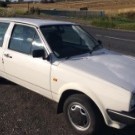
My MK2 polo Fox(1043) with the standard Dashboard(no rev counter/clock and trip) has an intermittent fault with the Alternator warning light not illuminating when the ignition is switched on.


Giving the top of the dash a thump brings it back on, so that tells me it’s not an alternator fault.


is this a common fault and is it fixable?


I’m good with a soldering iron if it’s likely to be dry joints.The worry is that without the warning light lit to start with the battery won’t charge, as I believe it needs the lamp lit to ‘excite’ the alternator into action.


Any help/guidance appreciated

  • Replies 3
  • Views 521
  • Created
  • Last Reply

Top Posters In This Topic

Most Popular Posts

  • steveo3002
    steveo3002

    not common...id start by pulling the cluster , make sure the multiplug is clean and tight , maybe a smear of dielectric grease on the pins    check over the blue foil for damage 

  • steveo3002
    steveo3002

    think so yes...cdrtainly much easier with it off...24mm nut btw

not common...id start by pulling the cluster , make sure the multiplug is clean and tight , maybe a smear of dielectric grease on the pins 


check over the blue foil for damage 

  • Author
1 hour ago, steveo3002 said:

not common...id start by pulling the cluster , make sure the multiplug is clean and tight , maybe a smear of dielectric grease on the pins 


check over the blue foil for damage 


Is it steering wheel off to get the pod out?
 

just so I know before I start destroying things😀

Edited by mk2tastic

think so yes...cdrtainly much easier with it off...24mm nut btw

Create an account or sign in to comment

Recently Browsing 0

  • No registered users viewing this page.

Important Information

We have placed cookies on your device to help make this website better. You can adjust your cookie settings, otherwise we'll assume you're okay to continue. Terms of Use Privacy Policy Guidelines

Account

Navigation

Search

Search

Configure browser push notifications

Chrome (Android)
  1. Tap the lock icon next to the address bar.
  2. Tap Permissions → Notifications.
  3. Adjust your preference.
Chrome (Desktop)
  1. Click the padlock icon in the address bar.
  2. Select Site settings.
  3. Find Notifications and adjust your preference.